The POS Software Blog

The POS Software Blog

News from Tower Systems about locally made POS software for specialty local retailers.

Latest stories

Meet Retailer AI: AI tools made for local independent retail

M

We have added a collection of AI tools to our POS software. We call it Retailer AI, and it is made for local independent retail businesses, from the front counter to the back office.

Retailer AI uses Gemini, Claude and ChatGPT. The work happens inside the POS software you already run, so there is no new system to learn and nothing to copy between apps.

This all started in 2022 and has evolved since. What’s changes is that we now call the collection of AI tools in our POS software Retailer AI.

What the tools do

Invoice processing turns a PDF or paper supplier invoice into an electronic invoice ready to import. Anyone who has keyed a 200-line invoice by hand on a Friday afternoon will understand the appeal.

Reordering watches your inventory and sales, then drafts replenishment orders for you. You buy what sells and skip what sits.

The AI insights dashboard gives shop floor staff a view of what matters today, so they can plan their time and look after customers between serves.

Reports now come with a click-through to plain advice on what to do next. If you have ever closed a report none the wiser, this one is for you.

There is more. Product names and SEO-ready descriptions are written for you so shoppers can find your products online. A local price comparison shows where you sit in your market. Blog posts are written and published for products you manage, which keeps your website fresh without you typing at the kitchen table at 10pm.

What it is worth

A typical business using these tools saves between 5 and 8 labour hours a week. At $35 an hour, that is $175 to $280 a week. One pet shop owner in regional NSW says he saves 10 hours a week. A Victorian newsagency used the tools to find more than $10,000 in dead stock, money it can now put into stock that moves.

Those numbers are why we built this. Hours back and better buying decisions are what a small retail business notices week to week.

Our approach

There is a lot of noise about AI right now, and plenty of it is hype. We are not selling hype. These tools exist to make everyday retail tasks quicker and everyday decisions better. You stay in control of how much or how little you use, and we do not profit from what you spend on AI.

See it working

The best way to judge Retailer AI is to watch it handle your own work. Book a free demo, email our sales team on sales@towersystems.com.au with your questions, or take a look at our YouTube channel to see the tools in action.
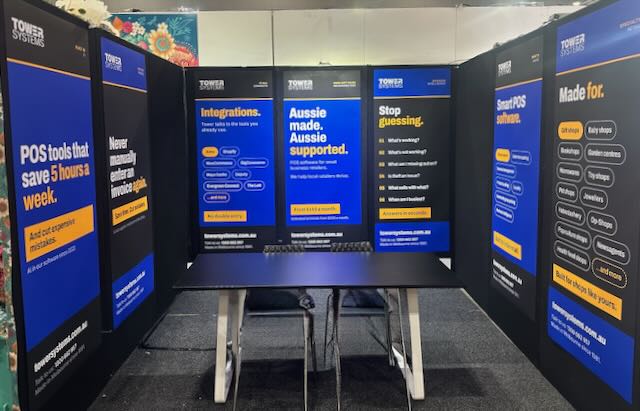
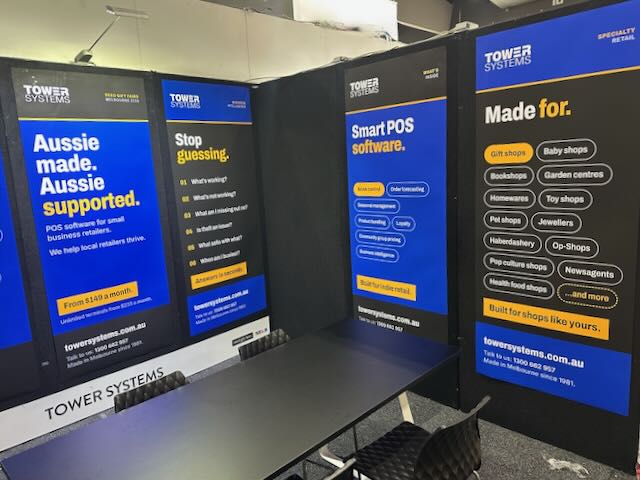
All set for Reed Melbourne gift fair

A

We are all setup and read to go for the Reed Melbourne Gift Fair, which starts today.

On our stand we will be demonstrating the very latest in POS software for gift shops, jewellers, garden centres, newsagents, toy shops, music shops, bookshops and more.

This is smart POS software. Melbourne made. Melbourne supported.

Gift retail has its own rhythm. Seasonal buying, one-off suppliers, products that need good photos and descriptions to sell online. Our software is built for that. Supplier invoices load in around 30 seconds. AI writes product descriptions and SEO content for you. Reports come with plain advice on what to do next. It connects with Shopify, BigCommerce, WooCommerce and Xero, so your shop floor and your online store stay in step.

If you are walking the fair with buying on your mind, five minutes at our stand could save you hours every week back at the shop. Bring your questions. We like the hard ones.

What sets us apart we think is the help behind the software. Our help desk is in Australia, staffed by people who know retail, and training is part of the deal rather than an extra. When you call, you speak with someone who understands what a busy Saturday in a gift shop looks like. Plenty of the retailers on our software came to us from bigger-name systems where they felt like an account number.

AI is doing real work in our software, and it has been since 2022. We call it Retailer AI, and it draws on Gemini, Claude and ChatGPT inside the POS software itself. A typical business saves between 5 and 8 labour hours a week, worth $175 to $280 at a $35 an hour pay rate. One retailer used it to find more than $10,000 in dead stock. There is plenty of AI hype about at the moment. This is not that. It is invoices loading themselves, reorders drafting themselves and reports that tell you what to do next.

The Melbourne Gift Fair is the best week of the year to see all of this in person. Bring a sales report or a supplier invoice from your own shop if you like, and we will show you what the software does with it on the spot. No script and no canned demo. If you cannot make it to our stand, book a free demo and we will bring the software to you after the fair.

Before You Sign For POS Software, Read the Contract

B

Choosing point of sale software is one of the most important decisions a small retailer will make. The software sits at the centre of the business, handling sales, stock, reporting and customer records every single day. It is chosen with care, and rightly so. Yet in all the attention paid to features and screens, one part of the decision is often rushed: the contract.

The agreement behind the software deserves the same scrutiny as the software itself. It sets out what a retailer is committing to, for how long, and on what terms. Get it wrong, and a business can find itself tied to a product that no longer suits it, with no easy way out.

Why the POS software contract fine print matters

A recurring story in retail is the business that signed quickly, assuming a monthly fee meant a monthly commitment. Too often it does not. Some providers structure their agreements around long fixed terms of two or three years. The monthly payment looks flexible, but the contract is not. Should the retailer wish to leave early, the remaining term can fall due in full, sometimes with an additional penalty on top.

This is not always obvious at the point of signing. Contracts can run to pages of legal language, and in the excitement of moving to new software, the exit terms are easy to overlook. The result is a business locked in place, paying for a product it has outgrown or simply come to dislike.

A different approach

Tower Systems takes a deliberately different path. Its software agreement is written in plain English, and the rental runs month to month. If a retailer decides in any given month that the software is no longer wanted, they simply stop paying the next month. There is no lock-in period, no early exit penalty, and no drawn-out release process.

That structure was introduced in 2019, and the reasoning behind it is straightforward. An agreement that customers can leave easily keeps the company accountable. It removes the false security of a signature and replaces it with something more valuable: a daily reason to earn the business. Software has to be worth keeping, and support has to be worth paying for, because the customer is always free to walk.

What retailers should do before signing

The lesson applies to any provider, not only to one. Before signing a POS software agreement, a retailer should take the time to read it properly. Every clause matters, particularly those covering the term, renewal, price increases and cancellation.

If the document is dense or unclear, there is no shame in seeking a second opinion or brief legal advice. A short review now is far cheaper than years tied to the wrong product. It is also worth asking direct questions: How long is the commitment? What happens if the software is no longer wanted? Are there any penalties for leaving? The answers, and the ease with which they are given, say a great deal about the provider.

There is no need to feel rushed. The strongest position in any business agreement is the moment before signing, because the choice to walk away still exists. Once the signature is on the page, that power is gone.

The bottom line

Point of sale software is a long-term relationship, and like any relationship it works best when both sides are free to choose it each day. A fair agreement, clearly written and free of traps, is a sign of a provider confident in its product and its service.

Tower Systems makes point of sale software for specialty and independent retailers across Australia and New Zealand, backed by local support and a month-to-month agreement with no lock-in. Retailers weighing up their options are welcome to get in touch at sales@towersystems.com.au or visit www.towersystems.com.au.

Small retail business advice: What is omnichannel, and why should a small local shop care?

S

Omnichannel is a jargon word, and we are generally, and rightfully, suspicious of jargon. But behind this one sits something every local retailer needs to think about, so here it is in plain terms.

Omnichannel is critical in retail today to retailers keen to run profitable and growing businesses.

Omnichannel means your shop, your web store, your social media and even your stall at the local market all work as one business. Same stock. Same prices. Same customer, recognised wherever they meet you. A customer might find a product on your website at 10pm, check it is in stock, and collect it from your counter the next morning. To them that is one transaction with one shop. Omnichannel is the word for making it feel that way.

You can’t ignore this. It’s essential in retail today.

Why does it matter to a small local shop? Because your customers already behave this way, whether you are set up for it or not. Most people research online before walking into a physical shop. If someone in your town searches for a product you have on your shelf and finds nothing, the sale often goes to a marketplace or a chain, even though the item was sitting five minutes from their house. You lost a local sale for lack of a shop window that happens to be a screen.

There is a fear that selling online means competing with Amazon on Amazon’s terms. It does not have to. A local shop online has advantages the giants cannot match: collect today rather than a parcel on Thursday, a human who answers the phone, easy returns across the counter, and trust built over years. Online is where you get found. Local is why they choose you.

The hard part of omnichannel for a small retailer has never been the idea, it is the housekeeping. Two systems, two stock records, and suddenly you have sold the last one of something in the shop while the website still shows it as available. That is where POS software earns its keep.

Our Tower Systems POS software connects directly with Shopify, WooCommerce, Magento and BigCommerce. The shop and the web store share the same data, updated as sales happen. Sell the last one at the counter and the website knows. Sell it online and the shop knows. Prices, product details and stock levels live in one place instead of being maintained twice by whoever remembers.

The AI tools in the software carry a lot of the load too. Product descriptions are the reason many shops never get their full range online, because writing hundreds of them is dull work that never reaches the top of the list. The software generates SEO-ready descriptions from your stock data, so the range can actually make it onto the site. And if you sell at markets or community events, the Retailer Roam app takes payments there with the same synchronised stock.

One honest caveat: an online store built on messy stock data will disappoint. If your on-hand figures are unreliable, fix that first, because omnichannel amplifies whatever data you feed it, good or bad.

Done properly, omnichannel does not make your shop less local. It makes your localness visible to people staring at their phones, which these days is everyone.

We are happy to show you how the integrations work, live. Book a demo at towersystems.com.au/pos-software-free-demo.html or call 1300 662 957 (AU), 0800 444 367 (NZ).

Software made and supported in Australia, for local Aussie jewellers

S

A local jeweller is a different business to a chain jewellery store, and everyone in town knows it. You made the engagement ring for a couple who now bring their daughter in for her 18th. You have served some families across three generations. Being local is a superpower, and we think POS software should help a jeweller lean into it rather than flatten it into something generic.

Our jewellery software is made in Australia and supported from Australia and New Zealand.

We compete with software made overseas, that’s often supported overseas.

Being Australian made is a point of difference for our Tower Systems jeweller software.

We have served local jewellers for decades, and that shows up in practical ways.

Call our help desk and you speak with our own people, in your time zone, who know Australian retail. Second-hand goods record keeping is handled. Xero is connected. You choose your own EFTPOS provider. The software was built around how jewellery shops here trade, which is a different thing to software written for shopping malls in another hemisphere and adapted later.

Occasion marketing is where localness pays most directly. You already know your customers personally. The software records the anniversary, the birthday, the wedding date, and prompts you to reach out at the right moment. Customers notice when a jeweller remembers. They tell people about it too, which is marketing money cannot buy.

If you run a workshop, repairs are tracked from intake to collection, with notes, status updates and customer contact along the way. Repairs deserve more respect than they sometimes get. People hand over pieces that matter to them, and a repair handled well often earns more loyalty than the original sale did.

The inventory side is built for jewellery. Stone details, metal types and certifications sit against each piece. High-value items are tracked by serial number. Rings and designer collections are managed by colour, size and style, and special orders let you sell a piece before it arrives. There is also club pricing, so you can give a local sporting club or community group their own pricing. Small thing, strong tie.

When the town show or a local market comes around, the Retailer Roam app takes sales away from the counter with stock kept in sync. The Shopify integration keeps the web store and the shop on the same data, which matters when a piece is one of a kind. Selling it twice is not a mistake you get to make quietly.

The AI tools handle the tedious parts. Supplier invoices import automatically from almost any PDF, product descriptions for the web store are generated from your stock data, and reports explain themselves in plain English, so understanding your own business does not require an evening with a spreadsheet.

We also do business the way local businesses tend to prefer. Monthly rental, cancel any time, and we take no fee from your transactions.

If you are local independent jeweller keen to leverage your localness, consider our locally made and supported software for jewellers.

Book a demo and we will show you the software with your shop in mind: towersystems.com.au/pos-software-free-demo.html, or 1300 662 957 (AU), 0800 444 367 (NZ).

Advice for retailers: How to work out which part of your shop floor makes the most money

A

Retail space usually costs between 11% and 15% of revenue, depending on the type of shop. For most retailers that makes it the biggest cost after stock and labour, yet plenty of shops have not looked hard at how that space earns its keep in years.

This is not advice you will get from your accountant, and you will not find it in your profit and loss. It is a practical exercise, done with paper and pen, that gives you a fresh view of your own business. Retailers who do it are almost always surprised by something.

We share this advice today to help local small business retailers look at the space use in their shop from a profit contribution perspective. Retailers we have done this with have made changes that have led to them making more money. It’s all about profitable space usage.

Here is the method we recommend.

  1. Take a blank sheet of paper, ideally A3, and roughly sketch the layout of your shop. Mark in display units, wall shelving, the counter, everywhere you have products.
  2. Include your back room if you hold stock there. That space costs you rent too.
  3. Colour-shade the layout by department.
  4. List the departments down the side of the floor plan.
  5. Estimate the percentage of total space each department uses and write it next to each department on your list. Rough is fine. This does not need to be accurate to two decimal places.
  6. Using your POS software, report on the gross profit dollars earned by each department over the last year. If your system cannot do this directly, calculate it from sales figures using the average gross profit percentage for each department. In our software, this is a standard report.
  7. Work out each department’s percentage of total gross profit and write it next to the space percentage on your floor plan.
  8. Circle the best performers in green and the worst in red. A strong department earns a significantly higher share of gross profit than the share of space it occupies. A weak one occupies more space than its profit contribution justifies.

Now stand back and look at the marked-up plan. Space and profit side by side, department by department. This is your shop as a landlord would see it if every department paid its own rent.

What you do next depends on what the page shows you. The work usually leads to one or more of these actions: moving a department to a better or worse position in the shop, giving a strong department more space, shrinking a weak one, improving a department’s margin through better buying, or working to lift sales in a department whose gross profit dollars are below its potential.

Be careful before shrinking a department solely on these numbers. Some low-margin departments drive traffic that shops the rest of the store. Newsagents know this well. The exercise is not a set of orders, it is information you did not have before, and it is up to you to weigh it against what you know about why customers walk in.

Once you have done the shop, you can go deeper: pick one department and run the same analysis by category within it. That is often where the most actionable findings sit.

Do this once a year, or ahead of any refit. Shops evolve, and space allocation tends to reflect the business you used to run rather than the one you run now. This exercise is one way to keep the floor working for today’s shop.

The gross profit reporting this relies on is standard in our POS software, by department and by category. If you would like to see it with your own shop in mind, book a demo at towersystems.com.au/pos-software-free-demo.html or call 1300 662 957 (AU), 0800 444 367 (NZ).

Cash flow advice for small business retailers, from people who see the numbers every day

C

In our work serving small business retailers in Australia and New Zealand we get to talk more than software. Often we talk business. Cashflow is a regular topic: how to improve it, how to strengthen the financial basis of the business.

This post today is about cashflow in local small retail businesses. It draws on our many years of experience seeing data from a range of businesses.

Retail businesses rarely close because they were unprofitable on paper. They close because they ran out of cash. Profit is an opinion until the money is in the bank, and cash flow is where good retail habits show up or fall apart.

Here is our best practice advice, drawn from decades of watching what works.

Treat stock as cash, because it is. Every dollar on your shelves is a dollar you cannot use anywhere else. The single biggest cash flow lever in most shops is buying. Buy to sell-through, using your own sales data, rather than buying to the rep’s suggested order or to what you bought last year. Our POS software shows what is selling, at what rate, by supplier and category, so reorders reflect your shop and not someone else’s optimism.

Quit dead stock quickly. Stock that has not sold in six months is cash going stale. Discount it, bundle it, clear it, and put the money into lines that turn. The reports make dead stock easy to find. Acting on it takes discipline, and the retailers with the healthiest cash positions do it routinely rather than annually.

Know your cash rhythm weekly. Once a week, look at what came in, what went out, and what is due in the next fortnight. Fifteen minutes. The retailers who do this are never ambushed by a BAS payment or a big supplier invoice, because they saw it coming. Xero integration in our software keeps the accounting side current without rekeying.

Put GST and tax money aside as you go. It was never yours. A separate account you sweep weekly saves the quarterly scramble that damages so many small retailers.

Watch the seasonal calendar in both directions. Christmas stock is paid for months before it sells, so plan the cash dip as deliberately as you plan the range. Coming out of a season, mark down fast while shoppers are still in the mood. February is a terrible time to be holding December stock.

Chase the money you are owed. If you run customer accounts, invoice promptly and follow up without embarrassment. Our software manages debtors, statements and credit limits, and retailers who moved to systematic follow-up tell us they freed up thousands they had simply stopped noticing.

Build recurring revenue where your business allows it. Storage, locker rental, service plans and memberships smooth the lumps in retail cash flow. Recurring billing is built into our software and it is underused.

Mind the leaks. Transaction fees clipped from every sale, software add-ons, terminal charges: individually small, together meaningful. We do not take a percentage of your sales or charge per transaction, on any tier, and you choose your own EFTPOS provider. Check what your current setup costs across a full year, since the sticker price is rarely the whole story.

Be frugal in your capital spending. Is the planned investment in a shopfit necessary? Does the car upgrade have to be done this year? Is that piece of equipment really going to pay for itself?

Be frugal with the day to day? Are you paying someone to clean the shop? Are you paying for a bookkeeping service that, with AI, you could cover yourself today? Is you advertising spend bringing new shoppers in?

Be the asset. It’s easy to roster someone to work so you can have an easier day. That rostered hour costs real money and while you working the shop floor has a cost, it’s a different cost to paid labour.

None of this requires an accounting degree. It requires accurate data, a weekly habit, and software that shows you the truth about your shop quickly. If your current system makes any of this hard, that is a cost too.

What all this really comes down to is being frugal. Now that can sound negative. It’s not. It’s about leaving more cash in your bank, it’s about making you richer in and from your business.

We are glad to talk cash flow and show you the reports live. Book a demo at towersystems.com.au/pos-software-free-demo.html or call 1300 662 957 (AU), 0800 444 367 (NZ).

Younger retailers are done with 20 page reports. Good.

Y

For years, we measured reporting in our POS software by volume. More reports, more columns, more export options. The unspoken deal was that we would produce the data and you would somehow find the time to read it.

We suspect plenty of those reports were never read. Some of ours included.

The AI analysis now built into our POS software takes a different approach. Run any report, click analyse, and in seconds you get a short plain English summary of what the numbers say and what might be worth doing about it. The stock report that would have taken an hour with a highlighter instead tells you, in a few sentences, that one supplier’s lines have stopped moving and are quietly tying up cash.

Who loves it surprised us

When we started demonstrating this we expected the warmest response from older owners who never liked reports in the first place. Half right. They do like it. The people who love it are gen Y and gen Z retailers and managers.

Makes sense once you think about it. This generation grew up with information arriving insight first. News comes as a three paragraph summary before it comes as an article. A product review is a 60 second video. The detail sits underneath for anyone who wants it, and mostly they only go looking when something has earned their attention.

So an AI summary of a sales report feels normal to them. It behaves the way information is supposed to behave. What feels odd to them is what the rest of us grew up with: 20 pages of tables and the answer buried on page 14.

There is a lazy version of this argument, that young people cannot concentrate any more. We don’t buy it, and the research does not support it either. These same retailers will happily spend two hours deep in the numbers once something has hooked them. What they refuse to do is spend two hours hunting for the thing that deserves the two hours. Fair enough. That hunting was always a job software should have been doing.

The detail has not gone anywhere

The full report still sits under every summary. Drill in whenever you like, and please do. An AI summary you never verify is just a different way of not reading your reports.

What the short format changes is the odds that the data gets used at all. A comprehensive report nobody opens is worth nothing. A three sentence insight read at the counter between customers, and acted on that afternoon, is worth quite a lot.

One retailer told us they now glance at supplier performance weekly, a report they had never once run before, because understanding it takes seconds. That is the pattern we keep hearing. People check their numbers more often, not less, once the effort of understanding them drops.

Want to see it on data like yours? Book an obligation free demo, and bring your most ignored report. In our experience that is where the money is hiding.

POS software integrations from Tower Systems

P

Our POS software connects with the tools retailers use every day. These integrations are included at no extra cost.

But before we get into the integrations, be sure to check what is current as this list is evolving regular as more opportunities emerge and shits occur within the companies with which we integrate. It’s a dynamic world out there.

We have integrated our POS software with: OpenAI, Google Gemini and Anthropic’s Claude into our software. There are image background removal tools through remove.bg and Removal.AI.

Our barcode lookup facility covers more than 1.5 billion items, with product images and descriptions included. This is a facility that our retailers love. It’s used every day. And we fund this use entirely – it’s a paid-for service funded by Tower Systems for our retailers.

On the e-commerce side, we connect directly with Shopify, WooCommerce, BigCommerce and Magento. Our retailers also get free access to findit.com.au, our own marketplace. Bike shops can use our BikeExchange integration for secondary market bicycle sales.

Xero is integrated directly. MYOB connects via ABCIS. For payments, we work with Tyro, Linkly, Shift4, Humm, Zip, Centerpay, Quest, MX51, Windcave and the major banks. For staff rostering, we link to Tanda and Deputy.

Supplier links matter in specialty retail. Newsagents have EDI links with XchangeIT and GNS. Book retailers connect to Pacstream, Nielsen BookScan and TitlePage. Pet shops have supplier links for Kongs, Premier Pet, Masterpet, Just for Pets, and Air & Tuckers. Garden centres connect with Evergreen Connect. In general retail and homewares, we link with Eastern Distributors, Maxwell & Williams, Trek and Specialized.

We also link to Mailchimp, MessageMedia and Slyp, support POStec Fuel and ePay, and handle local delivery management through Allotrac.

Every integration cuts manual data entry and double handling. That saves time and reduces mistakes. It is one of the reasons retailers switch to us.

We add integrations based on what our customers ask for. If there is a supplier or platform you want connected, tell us. Plenty of the links listed here started as a request from one retailer. That is how software made for specialty retail should work.

Find out more at towersystems.com.au.

Margin is where small business retailers find money they did not know they had

M

Ask a struggling retailer about their business and they will usually talk about sales. Ask a thriving one and before long they will talk about margin. That difference matters. You bank margin, not revenue, and in our experience most local retailers have more room to move on margin than they realise.

Here is practical advice we share with retailers, and how the tools in our POS software help act on it.

Start by knowing your actual gross profit, by department and by category. Not what you think it is, what the data says it is. Most retailers who run this report for the first time find surprises: a category they love that earns less than the space it occupies, and a quiet performer subsidising it. Our software reports GP at every level, and the AI report insights will flag more useful data in plain English.

Question habit pricing. Plenty of retail pricing is doubling the cost price because that is what everyone has always done. But customers do not know your cost price. They judge value. On items bought as gifts, or in an emergency, or on impulse, a price a dollar or two higher rarely changes the sale. A one percent improvement in average margin lands straight on your bottom line. Test it on a category and measure, rather than guessing either way.

Stop losing margin at the scale and the counter. If you sell by weight or length, rounding down to the nearest unit gives margin away all day. Our software sells 1.2 kg of birdseed or 0.75 of a metre of fabric exactly, with scale integration, so you are paid for what leaves the shop.

Bundle to protect price. A starter kit or gift pack sold at one package price earns more per sale and is harder for a customer to price-compare item by item online. Bundles are built into our software, and they are one of the most underused margin tools we see.

Get cost prices right, automatically. Margin reporting is only as good as the cost prices behind it, and manually keyed invoices are where cost data goes wrong. The AI invoice import in our software reads almost any supplier PDF and updates stock and cost prices without the typing. Retailers use it to save hours, but the quiet benefit is margin data you can trust.

Deal with dead stock sooner. Stock that has not sold in six months is not an asset, it is money on a shelf losing value. The reports in our software show exactly what is not moving. Quit it, take the small hit, and put the cash into stock that earns. Holding on feels safer and costs more.

Watch shrinkage like it is a supplier. For many shops theft, internal and external, quietly takes one to three percent of turnover, and that loss comes straight out of margin. Accurate scanning and tight inventory records in the software make shrinkage visible, and visible problems get fixed.

None of this requires more customers or longer hours. It requires knowing your numbers and acting on them, which is what POS software should be for. If your current system cannot tell you your margin by category in under a minute, that is worth fixing.

We are happy to show you these reports live, using scenarios from your own shop. Book a demo at towersystems.com.au/pos-software-free-demo.html or call 1300 662 957 (AU), 0800 444 367 (NZ).

The most important advice we give small business retailers

T

At a retail forum the other day we were asked what is the most important advice we give small business retailers. Our answer surprised a few people because it was not about marketing or ranging or margin.

The answer is often considered boring. It turns retailers off.

If only they understood the thousands of dollars to be made by listening to our answer.

The most important advice we think local small business retailers need is to focus on data accuracy. Dry, we know. But it is the factor local retailers most often overlook, and when it slips the damage spreads further than almost anything else in the business.

Here is the pattern we see. A retailer puts real hours into ordering stock and getting the shop looking right, and meanwhile half the sales go through the counter keyed into a department instead of scanned. Or the web store is full of products described as “candle lge” that no customer searching for a soy candle in a glass jar will ever find. Nobody set out to be sloppy. It builds up one shortcut at a time.

The costs rarely look like data problems, which is why they go unnoticed. Your reports can only tell you about what was entered, so vague or wrong entries produce reports that mislead with complete confidence. Decisions made on those reports feel informed. They are not.

Theft is the cost people least expect. Loose inventory records mean you cannot see shrinkage. Stock walks out the door and the numbers are too muddy to show where or how much or since when. Retailers who tighten up their data are often shocked at what it reveals within a few months.

There is a newer cost too. The AI tools in good retail software are only as smart as the data underneath them. With clean data they will flag margin shifts and buying opportunities you would have missed. With rubbish data they will confidently summarise rubbish.

The fix is unglamorous, which is probably why it gets skipped. Decide that every item gets properly described, every sale gets scanned, and stock records get maintained rather than guessed. Train everyone who touches the counter. Then check, because habits drift.

Retailers who do this tell us the same thing: they wish they had done it years earlier. The reports finally mean something, and for the first time they can see their own business clearly.

Who our POS software is for, and who it is not for

W

We say no to prospective customers more often than you might expect from a software company.

If your business is a franchise, a big chain, or a cafe or restaurant that happens to sell some retail on the side, we are not the right fit and we will tell you so. A bad match costs everyone, us included.

We’re not rude about this, just practical. We know what we are good at, and what we are not made for.

Our software is made for independent, owner-operated specialty retailers in Australia and New Zealand whose trading is more complicated than a generic till can handle. Maybe you run a workshop and need to track repair jobs. Maybe you sell items with serial numbers, or by weight or length, or you carry age-restricted lines, or you want to remember a customer’s anniversary so you can invite them back at the right moment.

A generic POS system scans a barcode and takes a payment. If that is all your shop needs, cheaper options exist and one of them will probably do. It is when the barcode scan is the easy part of the sale that our software makes sense.

We serve 20 specialty retail channels. Jewellers, bike shops, garden centres, newsagents, pet stores, toy shops, fishing and outdoors businesses, produce and farm supply, firearms dealers and more. Each version is built with retailers in that trade, which is where the useful detail comes from. A haberdashery can sell lace by the centimetre. A garden centre prints watering advice on the receipt, which matters in a business where a paper price tag fails the moment it rains. A jeweller tracks a repair from booking to pickup and gets a reminder out ahead of a customer’s anniversary.

Size of business matters less than people assume.

A first-year micro business starts on our Startup tier and an established multistore operator runs unlimited terminals on a higher tier. The common thread among the businesses we serve best is an owner who makes the buying decision and cares personally how the shop runs.

A few things about how we do business, since they come up in almost every sales conversation. We do not take a cut of your sales, on any tier. You choose your own EFTPOS provider. Monthly rental can be cancelled at any time. Our pricing is on our website for anyone to see, and you do not have to hand over an email address or phone number to see it. We find retailers appreciate that more than any feature.

Every call to our help desk is answered by our own people in Australia and New Zealand, and new customers get one-on-one training tailored to their shop. The features in our three major software updates a year come through our software ideas platform, where customers suggest and vote. Nobody buys their way to the top of our roadmap.

We have also been building AI into the software in-house since 2022, before anyone else in Australian specialty retail POS. Retailers use it most for importing supplier invoices from almost any PDF. It also writes product descriptions for web stores and gives plain-English answers about what the sales data is saying. These tools are on our Advanced and Ultimate tiers.

If this sounds like your business, book a demo, online or in your shop, and bring your hard questions. If we are not right for you, we will say so.

Pricing: towersystems.com.au/pricing.html. Book a demo: towersystems.com.au/pos-software-free-demo.html. Or call 1300 662 957 (AU), 0800 444 367 (NZ).

What local small business retailers have been telling us lately

W

Anyone can write nice things about their own software. We do it in our marketing. So, from time to time we like to hand the microphone to the retailers using it, because their words carry more weight than ours.

This feedback arrived in June from Tara and Cody, who run a rural supplies store in Queensland and recently started using the AI invoice import:

“The time savings, 8 hours a week, for our small business have been incredible! While it doesn’t process every single invoice, it handles the majority of them and has made a huge difference to our day-to-day operations.”

Eight hours a week is a full working day back. And they are right that it does not catch every invoice. We would rather people know that going in than be surprised later.

Switching POS software worries plenty of retailers, understandably. Mel at McLaren Vale Garden Centre made the move in May and told us the transition “has been smooth with plenty of training and support when needed”. The Bookshop Pahiatua in New Zealand went further:

“This is the easiest POS system I have ever used, anything I asked of it it can do! Their online help is amazing and so are the team if you can’t resolve the issue thru the chat.”

Then there are the customers who have grown old with us, in the best sense. Kerrilyn Page bought a traditional newsagency in Mount Morgan back in 2006. Her shop, Wattle Bee Next, looks nothing like it did then:

“With the help of the team at Tower Systems we have diversified to a modern non-traditional store. Tower Systems have been integral in this process.”

We see this a lot. A shop starts in one category and, over years, becomes something else entirely. Software should keep up with that. Too often it is the thing holding a shop back.

Reading back through years of this feedback, the help desk comes up more than anything else. Sheryl Muscat wrote that our team “never make us feel like we have wasted their time and they always seem to come up with a solution”. Jeremy Maitland, director of We Know Pets, put it in commercial terms:

“A piece of software is only as good as the backup that is provided and Tower are first rate in this area. Since installing the Retailer software we have exceeded our growth targets.”

For the record, everyone answering our help desk is based in Australia or New Zealand.

Some of our favourite feedback is the shortest. “We love this system” (John, West Side Newsagency, Port Augusta). “Who knew POS software could be this easy” (Rod, Goolwa Time and Jewellery). “The reports are fantastic” (Leanne, Shepherd Avenue Deli, Port Lincoln).

If you are weighing up POS software, feedback like this is useful but it is not the whole picture. Come and ask us your hard questions at a demo. Call 1300 662 957 (AU) or 0800 444 367 (NZ), or email sales@towersystems.com.au.

POS software support in your language, whatever your language

P

Small business retailers are loving that they can ask a question about out Tower Systems POS software in their language, and get an answer in that language.

Ask a question in Vietnamese, get the answer in Vietnamese. Ask in Mandarin, Hindi, Greek, Arabic or Korean, and the answer comes back the same way.

Our POS software customer service chatbot understands questions in more than 40 languages and answers in the language of the question. Not vague, generic answers either. Specific detail on how to use the software: which menu, which button, what to do next.

Tower Systems has offered this for several years now, and customers are loving it.

Here is why it matters. Retail in Australia and New Zealand is wonderfully multicultural. Plenty of shop owners and their team members speak English as a second, third or fourth language. They run terrific businesses. But asking a technical support question in English, about software, under pressure, mid-shift, is harder than it should be.

The chatbot removes that barrier. You ask in the language you think in. You get an answer you can act on straight away. No waiting, no translating in your head, no putting the question off because it feels like too much effort.

English documentation has been the default in POS software support forever. That default quietly excludes a lot of capable retailers. Support in 40+ languages, available any hour the question occurs to you, makes professional POS software support genuinely accessible across multicultural Australia and New Zealand.

To be clear, the chatbot does not replace our human help desk. Our people are still here, on the phone and by email, delivering the locally based support Tower Systems is known for. The chatbot sits alongside them, handling the quick how-do-I questions at any hour, in any language, so the humans can spend their time on the questions that need a conversation.

We think this is what good software support looks like now. The technology has caught up with who our customers actually are.

…

The right POS system or website for any retail business depends on the specific needs of the business. Tower offers POS software and websites made specifically for local small business retailers in a selection of retail channels. To see if we might help you…, request a free, no-obligation demo today.  

Call 1300 662 957 in Australia or 0800 444 367 in New Zealand. Or, email sales@towersystems.com.au. 

How the end of day process has changed in retail this year

H

The end of day process in retail used to be entirely physical. Count the cash, enter the details in your POS software, run the report, lock up, go home.

The counting and the keying are still there. What has changed this year is what happens next.

Smart POS software today can give you text commentary on how the day has transpired, rather than leaving you to read a report and work out the story for yourself. The report is still there for those who want it. But the AI analysis provided by the Tower software is ready the moment the day is done, written in plain language, easy to understand.

That matters at 5.30pm when you are tired and the last thing you feel like doing is decoding rows of numbers.

Here an example of what it looks like

This is a real example from a newsagency business for which we had permission to run their data. Staff and product details have been anonymised.

Business Analysis — The following analysis is AI-generated

Key Performance Highlights

  • Total sales for the day amounted to $2,398.35, with a significant variance of -23.97% from the average Thursday sales.
  • The top-selling department was Magazines, with 86 items sold, generating $676.62 in sales.
  • Staff F led in sales volume, contributing to 85 sales transactions and a total sales value of $1,179.71.

Notable Trends in Sales, Staff, and Time of Day

Sales Trends

  • Magazines and Cards & Wrap were the most popular categories, though both experienced a decline compared to average sales.
  • Collectibles showed a significant drop in sales, with a -31.12% variance.

Staff Performance

  • Staff B achieved higher total sales ($1,218.54) compared to Staff F, despite fewer transactions.
  • Both staff members did not attract any new customers during the day.

Time of Day

  • The peak sales hour was 11:00 AM, with $550.99 in sales.
  • Sales significantly dropped after 3:00 PM, with the lowest sales recorded at 5:00 PM ($29.27).

Operational Issues

  • Discounting was applied to 3 sales, totaling $25.91 in discounts.
  • Cash variance was noted, with an actual cash shortfall of $112.90.

Online vs In-Store Sales Commentary

  • All sales were conducted in-store, with no online sales recorded for the day.
  • 63 vouchers were issued, but none were redeemed, indicating a potential area for improvement in voucher utilization.

Recommendations for Management Action

  • Investigate the reasons behind the significant sales variance in Collectibles and Magazines to address potential issues.
  • Enhance staff training to improve customer engagement and attract new customers.
  • Review cash handling procedures to minimize cash variances.
  • Develop strategies to increase voucher redemption rates.

Weather-Related Impact on Trade

  • The overcast and rainy weather may have contributed to lower foot traffic and sales, particularly in the afternoon.

Summary and Highlights

  • Sales were below average, with a -23.97% variance from typical Thursday sales.
  • Magazines and Cards & Wrap were the top-selling categories, despite a decline in sales.
  • Staff performance was strong, but no new customers were acquired.
  • Cash handling discrepancies need to be addressed to prevent future variances.
  • Weather conditions likely impacted customer turnout, especially later in the day.

Audit Analysis — The following analysis is AI-generated

Excessive Cancellations

  • At 08:51, a sale was cancelled on terminal POS1 by a staff member. The amount involved was $12.80.

Stock Quantity Adjustments

  • Five stock items had their quantity on hand changed to zero on terminal POS2 within a ten minute window, including one item adjusted from 446 to 0.

Discounts Below Cost Price

  • Two sales on terminal POS1 contained items discounted below cost price, totalling $57.49.

Why this matters

Look at what the commentary surfaced without anyone asking. A cash shortfall of $112.90. Sixty-three vouchers issued and none redeemed. Stock quantities zeroed out in a tight window on one terminal. Items sold below cost.

Any one of those could sit unnoticed in a traditional report for weeks. Here, they are called out in plain language on the day they happen, with recommendations attached.

The commentary reaches beyond traditional reporting. It does not just tell you what you sold. It tells you where the day was won, where it leaked, and what deserves your attention tomorrow morning. These are insights retailers can leverage for profit, and they arrive without you having to go looking for them.

Reports tell you what happened. Commentary tells you what to notice. That is the shift this year, and we think it changes the end of day from a chore into a moment of genuine business insight.

If your end of day still finishes with a report you rarely read, it might be time to look at what smarter software can do.

Are you using your POS software as a glorified cash register?

A

Your POS software can most likely do so much more than track sales

Too many small business retailers use their POS software to less than half its potential. We see smart software treated as a glorified cash register, tracking sales and not much else.

This is a waste of money.

What frustrates us is that the easiest financial wins in retail are usually sitting inside software the retailer has already paid for.

Dead stock is the obvious one. Stock that is not selling is money parked on shelves. Your software knows where it is hiding. Quit it, reinvest in what sells.

Employee theft is harder to talk about, but the data does not care about awkwardness. Good POS software shows patterns you would never spot on the shop floor. Retailers are regularly surprised by what it reveals. Not in a good way.

Some suppliers make you money. Some cost you money. Supplier performance reports settle that question with facts rather than a rep’s charm.

Every hour spent typing invoices into a computer is an hour wasted. Electronic invoicing gets rid of that work entirely.

Stockouts might be the most expensive problem of the lot. You cannot sell what is not on the shelf. Your software can flag the gaps before customers walk out, and it can agentically create the orders to fill them.

Comparing trading periods, year on year and season on season, shows what is really changing in your business. You decide from evidence rather than gut feel.

Any one of these is worth real money. Do several and you can turbocharge the financial performance of the business.

So why the glorified cash register? We do wonder. Tiredness is part of it. A big part, actually. Running a shop is exhausting, and learning more about software can feel like one job too many. We also think plenty of retailers simply do not believe these benefits are achievable in a shop like theirs. They are. We see it every week.

At Tower Systems we help retailers gain these wins through locally delivered software support that starts with a conversation about your business. You have already paid for the software. Let us help you get paid back.

As the retailer you have to decide how you use the assets in your business. It’s likely that your POS software, regardless of the software you use, can do far more than you currently achieve with it. Challenge yourself to make more money from it.

The Real Cost of POS Software in Australia (2026): What You’ll Actually Pay

T

The advertised monthly price on POS software is rarely the whole story. Two systems can look identical on a comparison table and end up hundreds of dollars a month apart once everything is added up. Here is what to check before you sign, including the costs providers tend not to volunteer.

The headline price is only the start

Most POS software is sold as a monthly subscription. For specialty and independent retail in Australia, ongoing fees usually land somewhere between $40 and $300 a month depending on what is included. That is a wide range, and the gap between two quotes usually hides in the fees underneath the headline number.

The costs that are easy to miss

Start with how the licence is counted. Some systems charge per register, per device or per staff login. Run two counters and a back-office computer and a “low” monthly fee can quietly double. Ask whether the price covers every computer at your location.

Then there is card processing, and this is the big one. Many providers bundle payments and take a cut of every sale, typically 1.1 to 1.9 per cent. On $40,000 a month in card sales, 1.5 per cent is $600 a month. That is more than most retailers pay for the software itself. Check whether you must use the provider’s payments platform, or whether you can shop around with your own bank and keep that margin.

Some platforms also charge a separate fee on each transaction just for using the software. Your bill climbs as your sales do, which is a strange thing to pay for.

Support deserves a close look. Cheap software often means expensive help. Check whether phone and email support is included, what hours it runs and whether the team is local. You find out what support is really worth on the day the system goes down.

Ask what it costs to go live, too. Moving your stock file, customer records and sales history into a new system takes real work. Some providers include setup and training. Others charge thousands for it.

The same goes for integrations. Accounting links, e-commerce sync, supplier ordering and loyalty tools are sometimes included and sometimes sold as add-on modules. A cheap-looking system gets expensive once you switch on the features you actually need.

Lock-in is a cost too

A 24 or 36 month contract puts the risk on you if the software turns out to be a poor fit. Month-to-month terms cost nothing to leave. A provider willing to offer them clearly expects the product to keep you there on its own.

Questions to put to every provider

  • Does the price cover every computer at my location, or is it per terminal or per user?
  • Do you charge a fee on each transaction?
  • Must I use your payments platform, or can I choose my own?
  • Is phone and email support included, and where is your team based?
  • What is the one-off cost to migrate my data, set up and train my staff?
  • Which integrations are included, and which cost extra?
  • Is there a lock-in contract?
  • Who owns my data if I leave?

Cheapest is not the same as best value

The lowest monthly fee often carries the highest total cost once payment margins, add-ons and support charges are counted in. The better question is not “what is the monthly price?” but “what will this cost me over a full year, the way my business actually runs?” A system built for your retail category, with local support and no lock-in, will usually cost less to own even when its sticker price is not the smallest on the list.

Work out the all-in annual cost before you decide. Compare that, not the pricing page.

Innovation for firearms dealers in Australia

I

We are grateful to work with Gun Traders Australia to offer an integration between our firearms dealers software and their marketplace platform to help Aussie firearms dealers reach more customers online.

We recorded a podcast episode yesterday with Gun News Australia in which we talk about the link between our firearms dealer software and Gun Traders Australia.

POS software for firearms dealers: compliance first, then everything else

Running a gun shop is not like running any other retail business. Every firearm you buy, sell or take on consignment has a serial number that has to be recorded properly, and the regulator expects your records to be right every time. Get that wrong and nothing else in the business matters much.

That is where we started when we built our firearms dealer software, and it is still the first thing dealers ask us about in demos.

Serial numbers, tracked properly

Our software tracks every serialised item from the day it arrives to the day it leaves, including second-hand stock. When you need to report, the records are there and they are accurate. The age-check prompt at the counter is mandatory for age-restricted items, so the check happens on every sale rather than relying on whoever is serving that day.

The rest of the shop

Most gun shops sell far more than firearms. Ammunition and bulk supplies can be sold by weight or measure, in whole numbers or fractions. Apparel is handled by colour, size and style. It is one system across the whole shop, which matters when you are trying to see what is actually making you money.

Gunsmith and workshop work

If you do repairs or custom work, the workshop tools are included at no extra cost. A job is tracked from check-in to collection, you can schedule technician time, and customers can be kept up to date without anyone chasing paperwork.

Recurring billing is built in too. Plenty of dealers charge for locker space or storage, and the software handles those charges automatically each cycle. It is a small thing that adds up to reliable revenue and less admin.

AI in the software

The software connects directly to ChatGPT, Google Gemini and Anthropic. The most popular use by far is invoice import: a supplier invoice that used to take an hour to key in arrives as stock records in minutes. Dealers also use the AI tools to write product descriptions for their website and to interrogate their own sales data in plain language.

Club pricing

The best gun shops we know are close to their local clubs. Club pricing profiles let you set pricing by customer type, so members get their pricing automatically at the counter. Bundle packs, like a starter kit sold at one package price, lift the average sale and are harder for customers to price-compare item by item online.

Selling beyond the counter

The Retailer Roam app runs sales at trade shows and club events with stock kept in sync with the shop. Shopify, Magento and WooCommerce connections keep a web store on the same data as the counter. Xero covers the accounting link, and Tanda and Deputy cover rosters.

The Gun Traders Australia link makes it easy for your products to be found online.

On payments: you choose your own EFTPOS provider. We do not clip your sales and we do not charge per transaction. We think that is how it should work.

Have a look

The best way to judge POS software is to see it answering your questions, in your context. Book a demo and we will show you the software live, no obligation.

Call 1300 662 957 (AU) or 0800 444 367 (NZ), or email sales@towersystems.com.au.

POS software pricing should not be a secret

P

If you have shopped around for POS software lately, you know the drill. You find a website, you like what you see, you go looking for the price and there isn’t one. There is a form instead. They want your contact details before they will tell you what their software costs. Then the calls start.

We don’t do that here at Tower Systems. Our prices are on our website, in full, at towersystems.com.au/pricing.html.

No fuss. We don’t need to know who you are. The pricing is there for anyone to see.

Our Startup plan is $145 a month including GST. Our Ultimate plan is $298 a month including GST, billed annually. The other plans sit between. The page also shows the things a headline price can hide. We charge 0% transaction fees on EFTPOS. We don’t charge based on your turnover. Optional extras like cloud hosting and our Roam cloud POS have their costs listed too. Anyone can look, any time. No salesperson required.

Why hidden pricing is a problem

When a software company hides its pricing, it has decided the sales process matters more than your time. It wants to qualify you as a lead before you have information. In some cases it wants room to quote different prices to different businesses for the same product.

Think about a retailer doing research after close on a Tuesday night, which is when this research usually happens. Hidden pricing turns a ten minute job into a week of phone tag.

It should feel odd to any retailer. Every product on your shop floor carries a price ticket. Customers can see it, compare it and decide whether to buy. The companies selling software to retailers should extend the same courtesy.

Sunshine is good for everyone

Publishing our prices keeps us honest. They have to stand up to public comparison every day of the year. Every customer knows they paid the same as the next. And when retailers call us, they already know what we charge, so we can spend the call talking about their business.

We would like to see every POS software company serving local small business retailers do the same. If your pricing is fair, showing it costs you nothing. If it is not, retailers deserve to know that before they hand over a phone number.

Our prices are on our website today. We think that is where they belong.

Newsagents made us the industry standard, not the other way around

N

More newsagents have chosen Tower Systems than any other POS software. We didn’t set that label ourselves. Newsagents did, one shop at a time, by choosing us over everything else on offer.

We don’t take that lightly, and we don’t think it happened by accident.

We know the shop floor because we’ve stood on it

We’re the only POS company in this space that has owned and run its own newsagencies. Our founder bought their first shop in 1996 and built our software off the back of what that business actually needed, not what looked good in a sales pitch. That’s still true of every update we ship, even though our company today does not own a newsagency.

Newsagencies aren’t standing still, and neither is the software

The traditional core of a newsagency, magazines, papers, lottery, is a smaller part of the business than it used to be, and it keeps shrinking. The newsagents doing well are the ones shifting shelf space and attention toward gifts, cards, stationery and collectables. Software built for a magazine-and-lottery counter doesn’t help with that shift. Software built by people who’ve made that shift themselves does.

That’s where features like our loyalty tools earn their keep. You can market to a customer based on what they’ve bought, which means turning a regular lottery shopper into someone who browses the gift wall, or a magazine reader into someone who tries the stationery range. That’s not a feature for its own sake. It’s the whole point of the software.

The parts that just need to work, working

A newsagency runs on integrations most other retail software doesn’t bother with. We link directly to The Lott through XchangeIT, so lottery sales are captured without manual entry. Magazine arrivals and returns run through XchangeIT too, so your stock and your credits stay accurate without someone doing it by hand. Greeting card suppliers load in as electronic invoices in seconds instead of an afternoon of data entry.

Beyond the newsagency-specific stuff, the software connects to Shopify, Magento and WooCommerce if you sell online, to Xero for your books, and to EFTPOS with every major bank. If you pass on card fees, the system calculates the surcharge for you. We don’t charge a fee per transaction, ever.

AI tools built into the day-to-day

The AI tools built into the software write product descriptions for new gift lines, help you compare prices, and turn a stack of sales data into something you can act on, which categories are growing, which need attention, without you having to dig for it.

None of this makes us the biggest software company. It makes us the one most newsagents chose. If you want to see why, we’re happy to show you.

Book a free demo, or call 1300 662 957 in Australia and 0800 444 367 in New Zealand.

Gun Traders Australia launches next-generation marketplace with industry-first dealer integration through Tower Systems

G

Major platform upgrade, six months in the making and delivered in partnership with Tower Systems and Meshon, connects dealer point-of-sale systems directly to Australia’s dedicated firearms marketplace.

BRISBANE, QLD — 15 July 2026 — Gun Traders Australia (GTA) today launched the next chapter of its online marketplace — a major platform upgrade six months in the making, headlined by an industry-first integration that connects licensed firearms dealers’ point-of-sale systems directly to the marketplace.

Developed in partnership with retail software provider Tower Systems POS and IT services firm Meshon, the integration allows dealers running Tower Systems point-of-sale software to publish and manage their in-store inventory on Gun Traders Australia automatically — eliminating double handling and keeping listings accurate without extra administration.

For Australia’s shooting community, the upgraded platform delivers:

  • More listings — more choice for buyers and more exposure for sellers, as dealer inventory flows onto the marketplace automatically.
  • A smoother experience — improved performance and a cleaner, easier-to-navigate site built for Australia’s shooting community.
  • Less admin for dealers — streamlined workflows and simpler listing management that give dealers more time to run their businesses.

“Gun Traders Australia was built for Australia’s shooting community, and this next chapter is about giving dealers back their time,” said Carly Parker, Founder of Gun Traders Australia. “The integration with Tower Systems means dealers manage their inventory once and it flows straight through to the marketplace — no double handling, no wasted hours. That means more listings and more choice for buyers, more exposure for sellers, and a platform that works as hard as the people who use it.”

“We are grateful for the opportunity to serve Australian firearms dealers with this initiative,” said Gavin Williams, General Manager of Tower Systems. “The firearms dealer community is important to us, and we will embrace any opportunity to help firearms dealers run more efficient and enjoyable businesses.”

“We are pleased to have partnered with Gun Traders Australia and Tower Systems to deliver this industry-first integration,” said Andy Ansari, Executive Director of Meshon. “This project demonstrates what can be achieved when industry expertise and technology innovation come together. Our focus has been on building a secure, reliable and user-friendly platform that helps Australian firearms dealers manage and promote their inventory more efficiently.”

The new platform is live now at guntraders.com.au. Dealers already running Tower Systems point of sale can contact Tower Systems to have the Gun Traders Australia integration activated — phone 1300 662 957 or email sales@towersystems.com.au.

Dealers not yet on Tower Systems can also get in touch to explore a point of sale built specifically for Australian firearms retailers — including serial-number-level record keeping for compliance, integrated workshop and gunsmith job management, and club pricing for members — at towersystems.com.au/firearms-software.html.

— ENDS —

About Gun Traders Australia

Gun Traders Australia is an Australian-owned online marketplace connecting licensed firearms dealers, private sellers and buyers across the country. More than a classifieds platform, GTA is building a broader lifestyle ecosystem designed to support Australia’s shooting community through trusted connections, industry partnerships and a dedicated marketplace built for the people who use it.

About Tower Systems

Tower Systems is an Australian retail software company serving specialty retailers, including licensed firearms dealers, with point-of-sale and business management solutions. towersystems.com.au

About Meshon

Meshon is an Australian IT services and development firm focused on secure, reliable technology solutions for business. meshon.com.au

The POS Software Blog

Categories

Categories

Categories

Recent Comments

Monthly Archives