The POS Software Blog

The POS Software Blog

News from Tower Systems about locally made POS software for specialty local retailers.

TagPOS Software

What free POS hardware actually costs

W

A retailer recently shared a competitor pitch with us that included seven thousand dollars of free point of sale hardware. On a social media ad, it looked spectacular.

The questions started once the retailer sat with the paperwork. How long is the contract? That had not been asked. What does the software cost each month? Not much, apparently. Is there a per-transaction fee? A small one. When the retailer added it all up, the three year total cost of ownership came out at around double what they would pay with Tower Systems.

The hardware was not free. It was funded by a per-transaction percentage that grew as the business grew. The better the retailer traded, the more they paid for hardware they thought was a gift.

We see this often. The giveaway is big and visible. The lock-in and the rising recurring cost sit in the fine print, and by the time a retailer finds them, the ink is dry.

Our advice is to slow down. Read the contract, all of it, before signing anything. If you are weighing up two or three vendors, gather every contract and ask ChatGPT, Claude or Google Gemini to compare them clause by clause. Ask for the total cost across three and five years, at today’s turnover and at a realistic growth rate. This used to take an accountant and a spare afternoon. Now any retailer can do it before their coffee goes cold.

We do it differently at Tower Systems, and happily so. Our pricing and our contract are transparent. There is no bundled free hardware and no percentage taken from your turnover. You pay a straightforward rental fee for the software and that is where our revenue ends. Easy to understand, and easy to compare with anything else in the market.

This post is for Australian independent retailers looking at POS software right now. Compare, review and decide with clear numbers in front of you.

Tower Systems develops and supports POS software for local specialty retailers, including bookshops, jewellers, garden centres, bike shops, toy shops, stockfeed and farm supply businesses, saddleries, computer shops, fishing shops, pet shops, charity businesses, landscape gardening businesses, antique shops, sewing and haberdashery shops, newsagents and more.
AI supplier invoice importing: help for retailers when a file will not load

A

Supplier invoices do not always arrive in the same format. One supplier sends a PDF, another provides a CSV file, and a third sends a scanned document saved as a PDF. For a busy retailer, the differences may only become apparent when an import does not work as expected.

The AI supplier invoice import tools in our POS software support PDFs, scanned PDFs and CSV files. When a particular file causes trouble, sending it to support gives the team something specific to investigate.

A PDF created directly from a supplier’s system is different from a scan of a printed invoice. They may look similar when opened on screen, but the information inside them is presented differently.

Scanned documents can also be imported. A setting may need to be selected so the AI import process knows it is dealing with a scanned document rather than a standard PDF.

That distinction is worth checking before assuming the invoice cannot be used. It can also save a retailer from repeatedly trying the same approach without changing the underlying setting.

CSV files are supported too. Retailers do not need to assume that AI invoice importing is limited to PDF documents.

The supplier’s original file gives support something specific to investigate. Explaining that an invoice will not import is a starting point, but seeing the document helps the team understand what the import process is encountering.

Retailers can include the error message, if there is one, and a brief explanation of what happened. It is also useful to say whether invoices from that supplier have imported successfully before.

The appropriate next step depends on the file and the software setup. The help desk can examine the example and advise, rather than leaving the retailer to guess which setting might make a difference.

Successful importing should still be followed by a sensible check of the resulting information. Quantities, product matches and prices matter, regardless of how the information entered the system.

For independent retailers, this is a practical use of AI: assistance with a routine administrative job, with human support available when an exception needs attention. It is not a reason to stop checking important business information.

Retailers having trouble with a supplier invoice can email the file to support@towersystems.com.au with a short description of the issue. The original document is often the most useful place to start.

Retailer AI: what the time savings are actually worth

R

Small business retailers using the Retailer AI tools built into the Tower Systems POS software report saving between five and ten hours a week. That is a substantial claim, so it is worth putting dollars against the hours and showing where they come from.

At a staff cost of $35 an hour, five hours a week is $175, or $9,100 a year. Ten hours is $350 a week and $18,200 a year. Even at the bottom of that range, the saving covers the software cost.

Hours are only the visible part. The time comes back to the owner, or it goes to the shop floor where people sell things.

Supplier invoices are the single biggest saving, typically three to five hours a week. The manual version is typing invoices line by line, checking cost prices and setting retail prices. The Retailer AI version is dragging the supplier’s PDF or spreadsheet into the software, which extracts the lines, matches quantities, updates costs and prepares the stock arrival in seconds.

Business insights save another two to three hours. Rather than exporting reports and hunting for trends late at night, a retailer runs any standard report and clicks AI Insights. The software answers in plain English: which margins moved, what stock is dead, what deserves attention.

Product descriptions save one to two hours for retailers selling online, with titles, descriptions and blog copy drafted ready for Shopify, WooCommerce or Magento. Reordering and market price comparison round the list out.

Then there are the savings nobody can put on a timesheet. Retailer AI flags unusual voids, no-sale drawer opens, price overrides and refund patterns, which are the early signs of internal theft. It also cross-references stock counts against expected levels to show which categories keep losing stock. Shrinkage rarely announces itself. This does.

Retailer AI is embedded in the platform and draws on leading models including Anthropic’s Claude, Google’s Gemini and ChatGPT. It is built for the specialty retail Tower Systems serves, including bookshops, garden centres, jewellers, pet shops, toy shops, produce businesses and firearms dealers.

“We cut supplier invoice entry by 8 hours a week. That is a full business day back, every week.” — rural supply store, Queensland

“Retailer AI saves us 10 hours every week on stock arrivals and inventory admin alone.” — Shane, Pets R Us, Raymond Terrace NSW

The quickest way to test any of this is with your own paperwork. A fifteen minute demonstration will process actual supplier invoices in front of you.

Further AI tools are in development, with details to follow closer to release.

Locally made. Locally supported.

Retailers: What Don’t You Know About Your Shop?

R

Most retailers know their business well. They know the busy days, the reliable suppliers, the lines that never let them down. That familiarity is earned and it is useful.

It can also become a trap.

Over time a routine settles in. The same reports are read each week. The same advisers are consulted. The same handful of numbers is checked, and the same conclusions follow. Nothing in that is wrong. The problem is what sits outside the routine, unexamined, because nobody thought to ask.

So here is a better question. Not what should you know about your business, but what don’t you know?

It is a harder question. It is also considerably more profitable.

Consider a recent example. A retailer’s data was reviewed using a different tool and cut in a way it had not been cut before. Nothing new was added. Same transactions, same period, same shop. What emerged were opportunities the owner had not seen, sitting quietly in figures they had looked at many times. Some were easy wins. Others changed how buying decisions were made.

The most important competitor any retailer faces is themselves. Habits of thought are as fixed as habits of trade, and comfortable data is usually the least revealing data.

This is where AI Insights in the Tower Systems POS software earns its place. Rather than exporting reports to a spreadsheet and hunting for patterns late at night, a retailer runs any standard report and clicks AI Insights. The software reads the data and answers in plain English: which margins moved, what stock is dead, what deserves attention this week.

One Victorian newsagency found more than $10,000 in dead stock within minutes of first running it. The stock was cleared and the floor space went back to work.

That figure had been sitting in the data the whole time. Nobody had asked the right question of it.

Most retailers hold years of POS data they never have time to read. Standard reports tell an owner what happened. The value in AI Insights is that it suggests what to do next, in sentences rather than spreadsheets.

Treat surprise as a signal rather than an irritation. Surprise almost always points at something the business did not already understand, and that is where the money is.

Tower Systems builds and supports POS software for specialty retailers across Australia and New Zealand. Locally made. Locally supported.

Retailers: Stop worrying about the economy and work on your shop instead

R

There is a national conversation about retail that runs almost constantly. Interest rates. Household spending. Cost of living. Vacancy rates on the high street. It is loud, it is relentless, and for an independent retailer it can be demoralising.

Here is the uncomfortable part. Almost none of it can be controlled from behind the counter.

Retailers worry about the economy. They worry about rent, about the shopping strip, about the town, about whether centre management understands what independents are dealing with. Those concerns are reasonable. They are also, without exception, outside the business. Time spent on them produces anxiety and very little else.

The more useful question is the internal one. What can be done inside the four walls this week that makes the business measurably better?

Where is stock sitting too long? Which lines are quietly carrying the shop, and are they being backed properly? What mistakes are being repeated because nobody has looked?

There is a case, too, for the shop as an oasis. A place where the negative talk is left at the door, for the sake of the staff as much as the customers. Nobody walks into a shop hoping to be told how bad things are.

None of this is wishful thinking. Businesses in towns that are, by any measure, doing it tough are trading well right now. They are not waiting for conditions to improve. They are using their software to find opportunities, cut errors and make decisions faster and with more confidence than their competitors. The local economy did not change. The way the business was run did.

That is a practical distinction rather than a motivational one. A retailer who knows which twenty lines drive their gross profit buys differently to one who does not. Automated replenishment means empty shelves stop costing sales. Watching margin movement week by week catches a supplier price rise before it erodes a whole season. Every one of those is an internal decision that asks nothing of the economy first.

The external noise will continue regardless. It is not going anywhere, and no amount of worrying will shift it. The business, on the other hand, responds to attention almost immediately.

Tower Systems supplies POS software to specialty retailers across Australia and New Zealand, built locally and supported locally by people who understand the trading conditions being described. Locally made. Locally supported.

Retailers: Your landlord won’t fix your profit

R

A retailer in a major shopping centre is pushing hard for a twenty five per cent rent reduction. They will not get it.

The centre has no trouble filling space. The lease has around seven months to run. The business is already trading profitably. From the landlord’s perspective, there is no reason to move since the cards are stacked against the retailer – they have to pay to leave, a make good is expensive and, any legal challenge has to be funded by the retailer.

The argument being put by the retailer is common: we’re small, local and family run. It’s usually presented with plenty of emotion. It is also not an argument a commercial landlord is obliged to accept, least of all from a profitable tenant in a centre with a waiting list.

When talking to the retailer, we looked at their data, with their permission. Some categories are selling out quickly. Replenishment is inefficient. Stock that customers came in to buy was not on the shelf.

That is where more profit sits, profit nobody has to be persuaded to hand over.

So, we sought to get the retailer thinking about what they could do to improve their situation rather than asking the landlord to cut costs. Their own data showed us some terrific profitable opportunities.

Fix stock availability first, because every empty facing is a sale already lost. Revenue and profit lift, stock turn improves, which frees up cash that was sitting on shelves doing nothing.

Better performance makes the business more valuable to its suppliers, and that standing becomes the basis for negotiating better buying terms. Each of those gains is within the retailer’s control, and each compounds on the last.

This out of stock situation was one of four profit beneficial ideas we saw in their data.

Rent negotiation still matters. At lease renewal is a good time. But a tenant negotiating from demonstrable strength, with better numbers and stronger supplier support behind them, is having an entirely different conversation to one asking for relief.

Good POS facilities are vital here. Sales per square metre, category performance, lost sales through stockouts and automated replenishment built from actual customer demand are all ordinary functions of the software. AI Insights reads the same data and reports which categories are leaking profit.

Chasing a landlord is exhausting and rarely productive. Working on the business almost always returns more, and it returns it sooner.

Tower Systems supplies POS software to specialty retailers across Australia and New Zealand, with the stock and sales reporting these decisions rely on. We back our software with retail business performance insights.

We love helping local retailers thrive.

Retailers: How much stock does your shop actually need?

R

Ask a retailer why they bought a particular range and the answer too often is instinct. It looked good. The rep was persuasive. It sold last year.

While instinct has its place, it’s a poor substitute for a number.

Start with a simple question: what is the stock buy actually for? Stock turn? Overall profitability? Hitting a budget figure? Each purpose leads to a different decision, and confusing them fills a shop with the wrong goods.

The arithmetic works backwards from cost. After cost of goods, the two largest expenses in most retail businesses are labour and the retail space itself, whether that is rent or a mortgage. Both are broadly fixed, and neither shrinks because trade was quiet.

From those fixed costs, a required revenue figure can be derived. From the revenue figure comes the annual stock spend. Apply the stock turn the business achieves, or needs to achieve, and an inventory value emerges. A shop turning stock five times a year needs far less capital tied up than one turning it twice.

Every retail channel has its own numbers, so the calculation is not universal. The discipline is.

A shop carrying roughly $30,000 of stock needed to turn over at least a million dollars a year to work. It was horribly understocked and the owner had not seen it, having entered the business on something close to a whim, without appreciating that stock does not sell evenly through the year.

Knowing what the inventory value needs to be, week in and week out, changes buying, cash flow planning and supplier conversations. A gut feel becomes a target.

Our Tower Systems POS software carries the inventory reporting these decisions rely on: stock turn by department and supplier, dead stock identification, performance by category, and replenishment orders generated from what customers actually buy rather than what a rep suggests. Fast sellers get reordered before they run out, and market price checks flag supplier rises before they eat a margin.

AI Insights adds a layer on top, reading the numbers and reporting in plain English which lines deserve more investment and which are consuming cash without earning it.

None of this means buying less. It means knowing, before the order goes in, what the order is meant to achieve.

Tower Systems builds POS software for specialty retailers across Australia and New Zealand. Locally made. Locally supported.

Advice for retailers on chasing genuine savings: what Retailer AI does to the weekly workload

A

AI in retail gets discussed far more than it gets used, and most of the discussion is about possibility rather than the specific, dull tasks that consume a retailer’s week.

The Tower Systems software has had AI tools embedded since 2022. They now carry a name, Retailer AI, and they are aimed squarely at those dull tasks.

The Ai tools we offer cover so many areas now. Here are just some of them …

Supplier invoices

This is where most retailers find the largest single saving. It’s the easiest to access saving too.

A supplier invoice arrives as a PDF, an Excel file or a typed Word document, and traditionally someone keys it in line by line. Cost prices, quantities, retail prices, item after item. On a large invoice that is an hour or more, and every line is a chance for a typing error that later becomes a pricing error.

Retailer AI reads the invoice and imports it.

The saving is partly time and partly accuracy. An invoice imported correctly means stock on hand is right, cost prices are right and margin reporting can be trusted. An error introduced at this point travels a long way through a business before anyone notices it.

If an invoice does not import cleanly, it can be emailed to Tower Systems, where the team works on making that supplier’s invoices import easily and accurately in future.

The other tools

Product descriptions. Writing headings and descriptions for online listings is slow work that most retailers put off. Retailer AI drafts them, which helps stock get found in search.

Price comparison. Checking pricing against other retailers without spending an afternoon on it.

Replenishment ordering. Generating an order without working through a long, multi-step process.

Theft detection. Flagging transaction patterns worth a closer look.

Business insights. A plain-text end of shift summary comparing the day with recent trading, in place of a stack of reports.

Where the savings land

Retailers using the tools report saving between five and ten hours a week. The figure varies with the business and with how many of the tools are in use.

Hours are the visible saving. Harder to count, and probably worth more, is the effect on decisions. A decision made sooner, on complete and accurate information, tends to be a better decision.

There is a financial point worth noting too. Retailers choose their own AI model, whether ChatGPT, Claude or Gemini, and control their own AI spending directly. Tower Systems does not sit between the retailer and that access, and does not add a margin to it.

Getting started

Begin with invoices. It is the clearest saving and the easiest to measure. Time one invoice keyed by hand, then time one imported, and the comparison makes the case on its own.

Add one tool a month after that. Trying everything at once rarely sticks.

Book a training session. The tools are included in the software, and the free training covers how to use them.

Retailer AI is available across the specialty markets Tower Systems serves, including newsagents, jewellers, bike shops, garden centres, bookshops, pet shops and toy shops.

Retail advice: The business is telling a story: use the software to hear it

R

Every sale processed through retail software leaves a record. Over a year, a small shop builds up a detailed account of what its customers actually did, as opposed to what the owner remembers them doing.

In our experience, there is often a disconnect between how people talk about the performance of a business, suppliers to the business or products and the actual performance as reflected in the data collected by the POS software. This disconnect can cost the business plenty of money through ill-informed decisions, slow decisions and more.

Memory versus the data

Retailers form impressions on the shop floor, and impressions are shaped by whatever stood out. A difficult customer. A busy Saturday. A supplier rep who visited last week.

The data is not swayed by any of that. It will show a department that has quietly declined for eight months, or a range everyone assumed was working and was not, or stock bought in March still sitting there in August.

The floor view and the data view work best together. A retailer with both is well ahead of one relying on either alone.

Where to look first

Dead and slow-moving stock. Usually the fastest return in the whole exercise. Cash tied up in stock that has not moved for six months is cash unavailable for stock that would move. Most retailers running this report for the first time are surprised by the total.

Department and category performance over time. Not this week against last week, which is mostly noise, but this year against last year, by department. Trends take months to show themselves.

Basket composition. What sells alongside what. Products that sell together should usually sit together, so this answers merchandising questions directly.

Trading by day and hour. Rostering and opening hours often rest on habit. The data settles the argument one way or the other.

Supplier performance. Which suppliers deliver stock that sells, and at what margin. That is a different question from which rep is easiest to deal with.

Customer behaviour. Who returns, how often, and what they buy on the second visit.

Making it a habit

Reporting only works when it is regular. A protected monthly hour in the diary does more than an occasional deep dive.

Start with one report and understand it properly before adding another. A retailer who acts on a dead stock report every month is ahead of one who runs twelve reports and acts on none.

Write down what the numbers prompted, then check next month whether it worked.

The Retailer AI tools in the Tower Systems software help here. An end of shift summary in plain text compares the day with recent trading, in place of five or six pages of reports. Other tools flag what is selling, what is not, and what the business appears to be missing.

The shift that matters

Retailers who work from evidence buy differently. They quit dead stock earlier and back winners harder. They also stop defending decisions the numbers stopped supporting months ago.

No new technology is needed for any of this. The software is already in the shop; what changes is the habit.

Tower Systems software includes extensive reporting, and training on how to use it is free for the life of the subscription.

Advice for retailers: Do the staff actually know the software? A question worth asking this week

A

In many independent retail businesses, one person knows the software properly. Usually the owner, sometimes a long-serving staff member.

Everyone else knows enough to get through a shift. They can process a sale, take a payment and usually find a product. Beyond that, they call out for help.

It is a common arrangement, and it is riskier than it looks.

This worries us here at Tower Systems. We want retailers using our  POS software to get the maximum benefit possible from using the software.

We love seeing our customers thrive.

What it costs when the software is not understood or known

The obvious cost is interruption. Whoever knows the software cannot get much else done while they are answering questions about it.

The bigger cost is harder to see, because it is made up of things that never happen. A special order not taken because nobody was confident with the screen. A customer told an item is out of stock when the software could have shown it was on order and due within days.

And when the one person who holds the knowledge is away or leaves the business, the shop runs at a fraction of its capability until someone catches up.

Where the gaps usually sit

Rarely at the point of sale screen. Staff learn that quickly because they use it every hour.

The gaps sit around it: receiving stock, handling a supplier invoice, putting a customer on a repair or special order, using loyalty properly at the counter rather than skipping past it, and checking whether an item is on order rather than guessing.

Practical steps

Start with an honest audit. List the ten tasks that matter most in the business and note who can do each one without help. The picture is usually more concerning than expected.

Assign one facility per person per month. One person owns loyalty, another owns stock receiving. They learn it, then they teach it. This works better than a vague instruction to get better with the software.

Use the free training that comes with the software. New staff can attend a webinar or a customer meeting at no charge. The e-learning library and knowledge base are available at any hour, which suits a team that cannot all be free at the same time, and one-on-one telephone sessions can be booked as often as needed.

Make it part of onboarding. A staff member trained properly in week one never develops the habit of calling out for help.

Write down what is specific to the business. Tower Systems covers the software knowledge, but only the shop knows its own local decisions. How laybys are handled here, or which discount applies to which customer group. That belongs in a short internal document.

Rotate the tasks now and then, so the knowledge does not settle back into one head.

The result

A team that knows the software serves customers faster and interrupts the owner less. People who understand a system also notice earlier when it is telling them something is wrong.

Tower Systems provides free training, including sessions suitable for new staff. See our library of training videos made specifically for this purpose. Access is free and they can be watched anywhere.

Advice for retailers: Take every POS software training opportunity: the cheapest return available in retail

A

Most retailers use a fraction of what their software can do. That is not a criticism. Running a shop means the urgent work almost always gets attention before the important work does.

The gap has a cost, though. Admin gets done by hand when the software could have handled it. Stock gets ordered on instinct when the evidence was sitting in a report nobody opened.

Training closes that gap, and for Tower Systems customers it is already paid for.

What is included

Every new Tower Systems customer receives up to two days of personal onboarding training, tailored to their shop and their team and guided by a dedicated onboarding specialist. There are no consultants to engage and no training packages to buy. More training is available is needed.

And that is only the start.

Free webinars on diverse retail specific topics. Each session takes 30 to 60 minutes and covers one specific part of the software. Topics are chosen because they make a measurable difference in shops, like tightening stock control or cutting the time spent on admin. Retailers can attend live and ask questions, or watch the recording later.

There are free in-person customer meetings as well. These are face to face sessions where questions get asked and retailers share what has worked in their own businesses. That second part is often the more valuable half of the meeting.

Alongside the live options sit a large library of awesome training videos and a searchable knowledge base, both updated regularly and available at any hour. One-on-one telephone training can be booked as often as a customer wants.

Why it is worth booking

Retailers who know their software buy better and carry less dead stock. They also serve customers faster, because nobody is fumbling at the counter. None of this is dramatic, but over a year it adds up.

Consider one 45 minute webinar. If it saves twenty minutes a week for a year, that is more than fourteen hours returned for three quarters of an hour invested. Most sessions save more than that.

How to make it happen

Book the session first and read the description later. A session that waits for a quiet moment will keep waiting.

Pick one weak area rather than trying to learn everything at once. Stock control this quarter, customer loyalty the next.

Send someone other than the owner sometimes. A staff member who learns a facility and brings it back into the shop spreads the knowledge further than an owner who learns it alone.

Watch the recordings on a quiet trading day. Fifteen minutes at a time is plenty.

Come back to training years later, too. Access does not expire and the software keeps changing. Tower Systems usually releases three major updates a year, so a facility that did not exist at onboarding may be exactly what the business needs now.

The short version

Training in the Tower POS software is easily accessible. The only thing standing between a retailer and it is the diary. Details are on the Tower Systems website.

Tight Cash Flow? Your POS Data Can Help Turn It Around

T

Cash flow pressure is a common challenges in small business retail. Bills arrive on their own schedule, stock has to be paid for before it sells, and a quiet few weeks can tighten things quickly. The instinctive response is often to look outward, to an overdraft or a supplier extension. Yet for many retailers, the most useful tool is already in the business: the data sitting inside the point of sale system.

Stock is cash on a shelf

We think it helps to remember that stock is not separate from cash. It is cash, converted into product, waiting to convert back. How well that stock moves shapes the financial health of the whole business. Money tied up in lines that sell slowly is money that cannot be used anywhere else, and a shop can look busy while its cash quietly sits still on the shelves.

The first step to easing cash flow pressure is therefore not borrowing more. It is seeing clearly where the cash is held and how hard it is working. That clarity comes from good information, and good information comes from a POS system that captures and reports on every sale.

Turning data into decisions

Tower Systems turns everyday trading into exactly this kind of insight. Its reporting shows which products sell quickly and which sit for too long. That single view changes how a retailer buys. Instead of reordering out of habit, a retailer can favour proven performers and steadily reduce the dead stock that drains cash.

Automated reordering supports this discipline. It helps keep the right lines in stock at the right level, so a business avoids both empty shelves and over-committing to product that will not move. The aim is a leaner, faster-moving range where more of the cash is active rather than parked.

AI-enabled insights take this a step further by translating the numbers into plain, practical guidance. Rather than leaving a retailer to interpret spreadsheets, the software points to where attention is likely to pay off, making the data useful even on a busy trading day.

Small decisions, real results

Improving cash flow rarely comes from a single dramatic move. It comes from a series of small, informed decisions repeated over time. Freeing cash from slow stock, tightening ordering, and backing the lines that genuinely earn their place all add up.ge 6

A retailer might identify a category that has quietly tied up cash for months and decide to clear it and not reorder. Another might notice a strong performer that keeps selling out and make sure it is always in stock, capturing sales that were previously lost. Each decision is modest on its own. Together, over a season, they can meaningfully change the cash position of a business.

Getting started

The good news is that most retailers already have the raw material they need. Every sale recorded is a small piece of information about what customers want and how cash is flowing. The task is to put that information to work.

A practical starting point is to review stock performance regularly, at least monthly, and act on what the data shows. Slow lines are marked for clearance. Fast lines are protected. Ordering is adjusted to match real demand rather than assumption. Over time, this rhythm becomes second nature, and the business runs leaner and stronger for it.

Here’s the point

Cash flow pressure is real. We see it every day when working with small business retailers. In our experience, the clearest path runs through the data a retailer already holds. Used well, it reveals where cash is trapped and where it is working, and it guides the everyday decisions that steadily improve the position of the shop.

Tower Systems helps specialty and independent retailers use their own data to manage cash flow with confidence, through clear reporting, automated reordering and AI-enabled insights. Retailers who want to put their numbers to work can contact sales@towersystems.com.au or visit www.towersystems.com.au.

What Is Actually Included With Your POS Software?

W

When retailers compare point of sale software, the first thing they look at is usually the price. It is an understandable instinct. A monthly figure is easy to grasp and easy to compare. But price alone rarely tells the whole story, because two systems with similar headline costs can differ enormously in what that cost actually covers.

The more useful question is not “how much does it cost?” but “what is included?” The answer often reveals the real difference between one provider and another.

The trouble some headline POS software pricing

A low advertised price can be genuinely good value, or it can be the visible tip of a larger bill. Some providers keep the monthly figure low and charge separately for the things a retailer needs to actually use the software. Training might be an added cost. Support could be tiered, with faster help reserved for higher plans. Integrations, updates and setup may each carry their own fee.

Then there is payment processing. A number of POS providers tie their software to a particular payment processor, earning a margin on every transaction the retailer makes. That cost does not appear on the software invoice at all, yet it can quietly become one of the largest expenses of the whole arrangement. A low software price paired with a locked, high-cost payment processor is not the bargain it first appears to be.

What inclusive POS software looks like

Tower Systems takes a clear and inclusive approach, so retailers know what they are getting from the outset. The software comes with local Australian and New Zealand support, delivered by people who understand the businesses they serve. Personal training is included when a retailer starts, and regular customer training continues afterwards, so teams keep getting value as their needs grow.

Software updates are part of the package too, and many of them come directly from customer suggestions. This means the product keeps improving in ways that reflect how retailers actually work, rather than being shaped only from the inside.

Importantly, Tower Systems does not force a payment processor. Retailers choose their own payment provider and negotiate their own rates, and there is no Tower transaction fee added to sales. What a retailer earns from a sale stays with the retailer.

How to compare POS software fairly

The way to cut through the noise is to build a like-for-like comparison. For each provider under consideration, a retailer should list not only the monthly price but everything that price includes, and everything it does not. Training, support, updates, integrations, setup and payment processing all belong on the list.

A few direct questions help. Is support included, and is it local? Is training part of the price? Are updates included? Is a specific payment processor required, and if so, at what cost? Once the full picture is laid out, the true cost of each option becomes clear, and a low headline price hiding high extras loses its shine.

It is also worth considering the cost of change over the longer term. Software a retailer stays with for years should keep improving without constant new charges, and support should remain responsive as the business grows. A package that includes ongoing training and regular updates protects that investment, because the system keeps pace with the shop rather than falling behind it.

The bottom line

Value in point of sale software is not the lowest number on a brochure. It is the total cost of running the system well over time, weighed against the support and capability that come with it. Transparency from a provider is itself a good sign, because a company confident in its value has no reason to hide the details.

Tower Systems provides point of sale software for specialty and independent retailers, with local support, training and updates included, and freedom to choose your own payment provider. To see exactly what is included, retailers can contact sales@towersystems.com.au or visit www.towersystems.com.au.

Meet Retailer AI: AI tools made for local independent retail

M

We have added a collection of AI tools to our POS software. We call it Retailer AI, and it is made for local independent retail businesses, from the front counter to the back office.

Retailer AI uses Gemini, Claude and ChatGPT. The work happens inside the POS software you already run, so there is no new system to learn and nothing to copy between apps.

This all started in 2022 and has evolved since. What’s changes is that we now call the collection of AI tools in our POS software Retailer AI.

What the tools do

Invoice processing turns a PDF or paper supplier invoice into an electronic invoice ready to import. Anyone who has keyed a 200-line invoice by hand on a Friday afternoon will understand the appeal.

Reordering watches your inventory and sales, then drafts replenishment orders for you. You buy what sells and skip what sits.

The AI insights dashboard gives shop floor staff a view of what matters today, so they can plan their time and look after customers between serves.

Reports now come with a click-through to plain advice on what to do next. If you have ever closed a report none the wiser, this one is for you.

There is more. Product names and SEO-ready descriptions are written for you so shoppers can find your products online. A local price comparison shows where you sit in your market. Blog posts are written and published for products you manage, which keeps your website fresh without you typing at the kitchen table at 10pm.

What it is worth

A typical business using these tools saves between 5 and 8 labour hours a week. At $35 an hour, that is $175 to $280 a week. One pet shop owner in regional NSW says he saves 10 hours a week. A Victorian newsagency used the tools to find more than $10,000 in dead stock, money it can now put into stock that moves.

Those numbers are why we built this. Hours back and better buying decisions are what a small retail business notices week to week.

Our approach

There is a lot of noise about AI right now, and plenty of it is hype. We are not selling hype. These tools exist to make everyday retail tasks quicker and everyday decisions better. You stay in control of how much or how little you use, and we do not profit from what you spend on AI.

See it working

The best way to judge Retailer AI is to watch it handle your own work. Book a free demo, email our sales team on sales@towersystems.com.au with your questions, or take a look at our YouTube channel to see the tools in action.

All set for Reed Melbourne gift fair

A

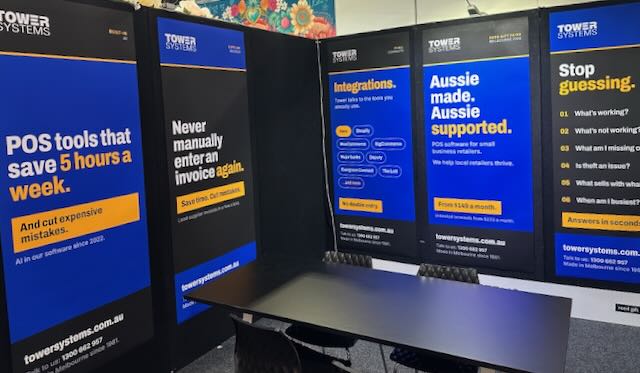
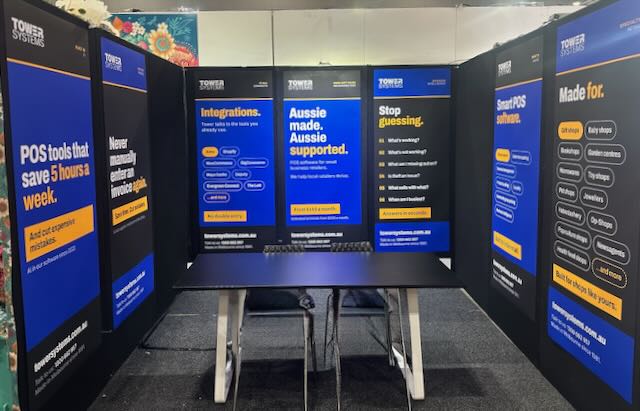
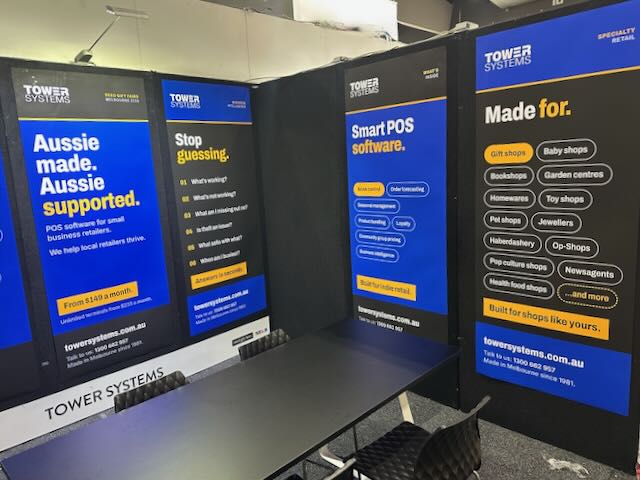
We are all setup and read to go for the Reed Melbourne Gift Fair, which starts today.

On our stand we will be demonstrating the very latest in POS software for gift shops, jewellers, garden centres, newsagents, toy shops, music shops, bookshops and more.

This is smart POS software. Melbourne made. Melbourne supported.

Gift retail has its own rhythm. Seasonal buying, one-off suppliers, products that need good photos and descriptions to sell online. Our software is built for that. Supplier invoices load in around 30 seconds. AI writes product descriptions and SEO content for you. Reports come with plain advice on what to do next. It connects with Shopify, BigCommerce, WooCommerce and Xero, so your shop floor and your online store stay in step.

If you are walking the fair with buying on your mind, five minutes at our stand could save you hours every week back at the shop. Bring your questions. We like the hard ones.

What sets us apart we think is the help behind the software. Our help desk is in Australia, staffed by people who know retail, and training is part of the deal rather than an extra. When you call, you speak with someone who understands what a busy Saturday in a gift shop looks like. Plenty of the retailers on our software came to us from bigger-name systems where they felt like an account number.

AI is doing real work in our software, and it has been since 2022. We call it Retailer AI, and it draws on Gemini, Claude and ChatGPT inside the POS software itself. A typical business saves between 5 and 8 labour hours a week, worth $175 to $280 at a $35 an hour pay rate. One retailer used it to find more than $10,000 in dead stock. There is plenty of AI hype about at the moment. This is not that. It is invoices loading themselves, reorders drafting themselves and reports that tell you what to do next.

The Melbourne Gift Fair is the best week of the year to see all of this in person. Bring a sales report or a supplier invoice from your own shop if you like, and we will show you what the software does with it on the spot. No script and no canned demo. If you cannot make it to our stand, book a free demo and we will bring the software to you after the fair.

Before You Sign For POS Software, Read the Contract

B

Choosing point of sale software is one of the most important decisions a small retailer will make. The software sits at the centre of the business, handling sales, stock, reporting and customer records every single day. It is chosen with care, and rightly so. Yet in all the attention paid to features and screens, one part of the decision is often rushed: the contract.

The agreement behind the software deserves the same scrutiny as the software itself. It sets out what a retailer is committing to, for how long, and on what terms. Get it wrong, and a business can find itself tied to a product that no longer suits it, with no easy way out.

Why the POS software contract fine print matters

A recurring story in retail is the business that signed quickly, assuming a monthly fee meant a monthly commitment. Too often it does not. Some providers structure their agreements around long fixed terms of two or three years. The monthly payment looks flexible, but the contract is not. Should the retailer wish to leave early, the remaining term can fall due in full, sometimes with an additional penalty on top.

This is not always obvious at the point of signing. Contracts can run to pages of legal language, and in the excitement of moving to new software, the exit terms are easy to overlook. The result is a business locked in place, paying for a product it has outgrown or simply come to dislike.

A different approach

Tower Systems takes a deliberately different path. Its software agreement is written in plain English, and the rental runs month to month. If a retailer decides in any given month that the software is no longer wanted, they simply stop paying the next month. There is no lock-in period, no early exit penalty, and no drawn-out release process.

That structure was introduced in 2019, and the reasoning behind it is straightforward. An agreement that customers can leave easily keeps the company accountable. It removes the false security of a signature and replaces it with something more valuable: a daily reason to earn the business. Software has to be worth keeping, and support has to be worth paying for, because the customer is always free to walk.

What retailers should do before signing

The lesson applies to any provider, not only to one. Before signing a POS software agreement, a retailer should take the time to read it properly. Every clause matters, particularly those covering the term, renewal, price increases and cancellation.

If the document is dense or unclear, there is no shame in seeking a second opinion or brief legal advice. A short review now is far cheaper than years tied to the wrong product. It is also worth asking direct questions: How long is the commitment? What happens if the software is no longer wanted? Are there any penalties for leaving? The answers, and the ease with which they are given, say a great deal about the provider.

There is no need to feel rushed. The strongest position in any business agreement is the moment before signing, because the choice to walk away still exists. Once the signature is on the page, that power is gone.

The bottom line

Point of sale software is a long-term relationship, and like any relationship it works best when both sides are free to choose it each day. A fair agreement, clearly written and free of traps, is a sign of a provider confident in its product and its service.

Tower Systems makes point of sale software for specialty and independent retailers across Australia and New Zealand, backed by local support and a month-to-month agreement with no lock-in. Retailers weighing up their options are welcome to get in touch at sales@towersystems.com.au or visit www.towersystems.com.au.

Small retail business advice: What is omnichannel, and why should a small local shop care?

S

Omnichannel is a jargon word, and we are generally, and rightfully, suspicious of jargon. But behind this one sits something every local retailer needs to think about, so here it is in plain terms.

Omnichannel is critical in retail today to retailers keen to run profitable and growing businesses.

Omnichannel means your shop, your web store, your social media and even your stall at the local market all work as one business. Same stock. Same prices. Same customer, recognised wherever they meet you. A customer might find a product on your website at 10pm, check it is in stock, and collect it from your counter the next morning. To them that is one transaction with one shop. Omnichannel is the word for making it feel that way.

You can’t ignore this. It’s essential in retail today.

Why does it matter to a small local shop? Because your customers already behave this way, whether you are set up for it or not. Most people research online before walking into a physical shop. If someone in your town searches for a product you have on your shelf and finds nothing, the sale often goes to a marketplace or a chain, even though the item was sitting five minutes from their house. You lost a local sale for lack of a shop window that happens to be a screen.

There is a fear that selling online means competing with Amazon on Amazon’s terms. It does not have to. A local shop online has advantages the giants cannot match: collect today rather than a parcel on Thursday, a human who answers the phone, easy returns across the counter, and trust built over years. Online is where you get found. Local is why they choose you.

The hard part of omnichannel for a small retailer has never been the idea, it is the housekeeping. Two systems, two stock records, and suddenly you have sold the last one of something in the shop while the website still shows it as available. That is where POS software earns its keep.

Our Tower Systems POS software connects directly with Shopify, WooCommerce, Magento and BigCommerce. The shop and the web store share the same data, updated as sales happen. Sell the last one at the counter and the website knows. Sell it online and the shop knows. Prices, product details and stock levels live in one place instead of being maintained twice by whoever remembers.

The AI tools in the software carry a lot of the load too. Product descriptions are the reason many shops never get their full range online, because writing hundreds of them is dull work that never reaches the top of the list. The software generates SEO-ready descriptions from your stock data, so the range can actually make it onto the site. And if you sell at markets or community events, the Retailer Roam app takes payments there with the same synchronised stock.

One honest caveat: an online store built on messy stock data will disappoint. If your on-hand figures are unreliable, fix that first, because omnichannel amplifies whatever data you feed it, good or bad.

Done properly, omnichannel does not make your shop less local. It makes your localness visible to people staring at their phones, which these days is everyone.

We are happy to show you how the integrations work, live. Book a demo at towersystems.com.au/pos-software-free-demo.html or call 1300 662 957 (AU), 0800 444 367 (NZ).

Software made and supported in Australia, for local Aussie jewellers

S

A local jeweller is a different business to a chain jewellery store, and everyone in town knows it. You made the engagement ring for a couple who now bring their daughter in for her 18th. You have served some families across three generations. Being local is a superpower, and we think POS software should help a jeweller lean into it rather than flatten it into something generic.

Our jewellery software is made in Australia and supported from Australia and New Zealand.

We compete with software made overseas, that’s often supported overseas.

Being Australian made is a point of difference for our Tower Systems jeweller software.

We have served local jewellers for decades, and that shows up in practical ways.

Call our help desk and you speak with our own people, in your time zone, who know Australian retail. Second-hand goods record keeping is handled. Xero is connected. You choose your own EFTPOS provider. The software was built around how jewellery shops here trade, which is a different thing to software written for shopping malls in another hemisphere and adapted later.

Occasion marketing is where localness pays most directly. You already know your customers personally. The software records the anniversary, the birthday, the wedding date, and prompts you to reach out at the right moment. Customers notice when a jeweller remembers. They tell people about it too, which is marketing money cannot buy.

If you run a workshop, repairs are tracked from intake to collection, with notes, status updates and customer contact along the way. Repairs deserve more respect than they sometimes get. People hand over pieces that matter to them, and a repair handled well often earns more loyalty than the original sale did.

The inventory side is built for jewellery. Stone details, metal types and certifications sit against each piece. High-value items are tracked by serial number. Rings and designer collections are managed by colour, size and style, and special orders let you sell a piece before it arrives. There is also club pricing, so you can give a local sporting club or community group their own pricing. Small thing, strong tie.

When the town show or a local market comes around, the Retailer Roam app takes sales away from the counter with stock kept in sync. The Shopify integration keeps the web store and the shop on the same data, which matters when a piece is one of a kind. Selling it twice is not a mistake you get to make quietly.

The AI tools handle the tedious parts. Supplier invoices import automatically from almost any PDF, product descriptions for the web store are generated from your stock data, and reports explain themselves in plain English, so understanding your own business does not require an evening with a spreadsheet.

We also do business the way local businesses tend to prefer. Monthly rental, cancel any time, and we take no fee from your transactions.

If you are local independent jeweller keen to leverage your localness, consider our locally made and supported software for jewellers.

Book a demo and we will show you the software with your shop in mind: towersystems.com.au/pos-software-free-demo.html, or 1300 662 957 (AU), 0800 444 367 (NZ).

Younger retailers are done with 20 page reports. Good.

Y

For years, we measured reporting in our POS software by volume. More reports, more columns, more export options. The unspoken deal was that we would produce the data and you would somehow find the time to read it.

We suspect plenty of those reports were never read. Some of ours included.

The AI analysis now built into our POS software takes a different approach. Run any report, click analyse, and in seconds you get a short plain English summary of what the numbers say and what might be worth doing about it. The stock report that would have taken an hour with a highlighter instead tells you, in a few sentences, that one supplier’s lines have stopped moving and are quietly tying up cash.

Who loves it surprised us

When we started demonstrating this we expected the warmest response from older owners who never liked reports in the first place. Half right. They do like it. The people who love it are gen Y and gen Z retailers and managers.

Makes sense once you think about it. This generation grew up with information arriving insight first. News comes as a three paragraph summary before it comes as an article. A product review is a 60 second video. The detail sits underneath for anyone who wants it, and mostly they only go looking when something has earned their attention.

So an AI summary of a sales report feels normal to them. It behaves the way information is supposed to behave. What feels odd to them is what the rest of us grew up with: 20 pages of tables and the answer buried on page 14.

There is a lazy version of this argument, that young people cannot concentrate any more. We don’t buy it, and the research does not support it either. These same retailers will happily spend two hours deep in the numbers once something has hooked them. What they refuse to do is spend two hours hunting for the thing that deserves the two hours. Fair enough. That hunting was always a job software should have been doing.

The detail has not gone anywhere

The full report still sits under every summary. Drill in whenever you like, and please do. An AI summary you never verify is just a different way of not reading your reports.

What the short format changes is the odds that the data gets used at all. A comprehensive report nobody opens is worth nothing. A three sentence insight read at the counter between customers, and acted on that afternoon, is worth quite a lot.

One retailer told us they now glance at supplier performance weekly, a report they had never once run before, because understanding it takes seconds. That is the pattern we keep hearing. People check their numbers more often, not less, once the effort of understanding them drops.

Want to see it on data like yours? Book an obligation free demo, and bring your most ignored report. In our experience that is where the money is hiding.

Margin is where small business retailers find money they did not know they had

M

Ask a struggling retailer about their business and they will usually talk about sales. Ask a thriving one and before long they will talk about margin. That difference matters. You bank margin, not revenue, and in our experience most local retailers have more room to move on margin than they realise.

Here is practical advice we share with retailers, and how the tools in our POS software help act on it.

Start by knowing your actual gross profit, by department and by category. Not what you think it is, what the data says it is. Most retailers who run this report for the first time find surprises: a category they love that earns less than the space it occupies, and a quiet performer subsidising it. Our software reports GP at every level, and the AI report insights will flag more useful data in plain English.

Question habit pricing. Plenty of retail pricing is doubling the cost price because that is what everyone has always done. But customers do not know your cost price. They judge value. On items bought as gifts, or in an emergency, or on impulse, a price a dollar or two higher rarely changes the sale. A one percent improvement in average margin lands straight on your bottom line. Test it on a category and measure, rather than guessing either way.

Stop losing margin at the scale and the counter. If you sell by weight or length, rounding down to the nearest unit gives margin away all day. Our software sells 1.2 kg of birdseed or 0.75 of a metre of fabric exactly, with scale integration, so you are paid for what leaves the shop.

Bundle to protect price. A starter kit or gift pack sold at one package price earns more per sale and is harder for a customer to price-compare item by item online. Bundles are built into our software, and they are one of the most underused margin tools we see.

Get cost prices right, automatically. Margin reporting is only as good as the cost prices behind it, and manually keyed invoices are where cost data goes wrong. The AI invoice import in our software reads almost any supplier PDF and updates stock and cost prices without the typing. Retailers use it to save hours, but the quiet benefit is margin data you can trust.

Deal with dead stock sooner. Stock that has not sold in six months is not an asset, it is money on a shelf losing value. The reports in our software show exactly what is not moving. Quit it, take the small hit, and put the cash into stock that earns. Holding on feels safer and costs more.

Watch shrinkage like it is a supplier. For many shops theft, internal and external, quietly takes one to three percent of turnover, and that loss comes straight out of margin. Accurate scanning and tight inventory records in the software make shrinkage visible, and visible problems get fixed.

None of this requires more customers or longer hours. It requires knowing your numbers and acting on them, which is what POS software should be for. If your current system cannot tell you your margin by category in under a minute, that is worth fixing.

We are happy to show you these reports live, using scenarios from your own shop. Book a demo at towersystems.com.au/pos-software-free-demo.html or call 1300 662 957 (AU), 0800 444 367 (NZ).

The most important advice we give small business retailers

T

At a retail forum the other day we were asked what is the most important advice we give small business retailers. Our answer surprised a few people because it was not about marketing or ranging or margin.

The answer is often considered boring. It turns retailers off.

If only they understood the thousands of dollars to be made by listening to our answer.

The most important advice we think local small business retailers need is to focus on data accuracy. Dry, we know. But it is the factor local retailers most often overlook, and when it slips the damage spreads further than almost anything else in the business.

Here is the pattern we see. A retailer puts real hours into ordering stock and getting the shop looking right, and meanwhile half the sales go through the counter keyed into a department instead of scanned. Or the web store is full of products described as “candle lge” that no customer searching for a soy candle in a glass jar will ever find. Nobody set out to be sloppy. It builds up one shortcut at a time.

The costs rarely look like data problems, which is why they go unnoticed. Your reports can only tell you about what was entered, so vague or wrong entries produce reports that mislead with complete confidence. Decisions made on those reports feel informed. They are not.

Theft is the cost people least expect. Loose inventory records mean you cannot see shrinkage. Stock walks out the door and the numbers are too muddy to show where or how much or since when. Retailers who tighten up their data are often shocked at what it reveals within a few months.

There is a newer cost too. The AI tools in good retail software are only as smart as the data underneath them. With clean data they will flag margin shifts and buying opportunities you would have missed. With rubbish data they will confidently summarise rubbish.

The fix is unglamorous, which is probably why it gets skipped. Decide that every item gets properly described, every sale gets scanned, and stock records get maintained rather than guessed. Train everyone who touches the counter. Then check, because habits drift.

Retailers who do this tell us the same thing: they wish they had done it years earlier. The reports finally mean something, and for the first time they can see their own business clearly.

Who our POS software is for, and who it is not for

W

We say no to prospective customers more often than you might expect from a software company.

If your business is a franchise, a big chain, or a cafe or restaurant that happens to sell some retail on the side, we are not the right fit and we will tell you so. A bad match costs everyone, us included.

We’re not rude about this, just practical. We know what we are good at, and what we are not made for.

Our software is made for independent, owner-operated specialty retailers in Australia and New Zealand whose trading is more complicated than a generic till can handle. Maybe you run a workshop and need to track repair jobs. Maybe you sell items with serial numbers, or by weight or length, or you carry age-restricted lines, or you want to remember a customer’s anniversary so you can invite them back at the right moment.

A generic POS system scans a barcode and takes a payment. If that is all your shop needs, cheaper options exist and one of them will probably do. It is when the barcode scan is the easy part of the sale that our software makes sense.

We serve 20 specialty retail channels. Jewellers, bike shops, garden centres, newsagents, pet stores, toy shops, fishing and outdoors businesses, produce and farm supply, firearms dealers and more. Each version is built with retailers in that trade, which is where the useful detail comes from. A haberdashery can sell lace by the centimetre. A garden centre prints watering advice on the receipt, which matters in a business where a paper price tag fails the moment it rains. A jeweller tracks a repair from booking to pickup and gets a reminder out ahead of a customer’s anniversary.

Size of business matters less than people assume.

A first-year micro business starts on our Startup tier and an established multistore operator runs unlimited terminals on a higher tier. The common thread among the businesses we serve best is an owner who makes the buying decision and cares personally how the shop runs.

A few things about how we do business, since they come up in almost every sales conversation. We do not take a cut of your sales, on any tier. You choose your own EFTPOS provider. Monthly rental can be cancelled at any time. Our pricing is on our website for anyone to see, and you do not have to hand over an email address or phone number to see it. We find retailers appreciate that more than any feature.

Every call to our help desk is answered by our own people in Australia and New Zealand, and new customers get one-on-one training tailored to their shop. The features in our three major software updates a year come through our software ideas platform, where customers suggest and vote. Nobody buys their way to the top of our roadmap.

We have also been building AI into the software in-house since 2022, before anyone else in Australian specialty retail POS. Retailers use it most for importing supplier invoices from almost any PDF. It also writes product descriptions for web stores and gives plain-English answers about what the sales data is saying. These tools are on our Advanced and Ultimate tiers.

If this sounds like your business, book a demo, online or in your shop, and bring your hard questions. If we are not right for you, we will say so.

Pricing: towersystems.com.au/pricing.html. Book a demo: towersystems.com.au/pos-software-free-demo.html. Or call 1300 662 957 (AU), 0800 444 367 (NZ).

What local small business retailers have been telling us lately

W

Anyone can write nice things about their own software. We do it in our marketing. So, from time to time we like to hand the microphone to the retailers using it, because their words carry more weight than ours.

This feedback arrived in June from Tara and Cody, who run a rural supplies store in Queensland and recently started using the AI invoice import:

“The time savings, 8 hours a week, for our small business have been incredible! While it doesn’t process every single invoice, it handles the majority of them and has made a huge difference to our day-to-day operations.”

Eight hours a week is a full working day back. And they are right that it does not catch every invoice. We would rather people know that going in than be surprised later.

Switching POS software worries plenty of retailers, understandably. Mel at McLaren Vale Garden Centre made the move in May and told us the transition “has been smooth with plenty of training and support when needed”. The Bookshop Pahiatua in New Zealand went further:

“This is the easiest POS system I have ever used, anything I asked of it it can do! Their online help is amazing and so are the team if you can’t resolve the issue thru the chat.”

Then there are the customers who have grown old with us, in the best sense. Kerrilyn Page bought a traditional newsagency in Mount Morgan back in 2006. Her shop, Wattle Bee Next, looks nothing like it did then:

“With the help of the team at Tower Systems we have diversified to a modern non-traditional store. Tower Systems have been integral in this process.”

We see this a lot. A shop starts in one category and, over years, becomes something else entirely. Software should keep up with that. Too often it is the thing holding a shop back.

Reading back through years of this feedback, the help desk comes up more than anything else. Sheryl Muscat wrote that our team “never make us feel like we have wasted their time and they always seem to come up with a solution”. Jeremy Maitland, director of We Know Pets, put it in commercial terms:

“A piece of software is only as good as the backup that is provided and Tower are first rate in this area. Since installing the Retailer software we have exceeded our growth targets.”

For the record, everyone answering our help desk is based in Australia or New Zealand.

Some of our favourite feedback is the shortest. “We love this system” (John, West Side Newsagency, Port Augusta). “Who knew POS software could be this easy” (Rod, Goolwa Time and Jewellery). “The reports are fantastic” (Leanne, Shepherd Avenue Deli, Port Lincoln).

If you are weighing up POS software, feedback like this is useful but it is not the whole picture. Come and ask us your hard questions at a demo. Call 1300 662 957 (AU) or 0800 444 367 (NZ), or email sales@towersystems.com.au.

The POS Software Blog

Categories

Categories

Categories

Recent Comments

Monthly Archives