The Tower Systems small business POS software helps cut paperwork
T

The POS Software Blog
News from Tower Systems about locally made POS software for specialty local retailers.
Choosing a cloud backup service takes care. As with any business service, you have businesses out there claiming to offer a service that they do not actually offer.
We suggest you take care to find the right service, a professional service, one that provides your business with the care and backup you seek for your specific type of business.
The cloud backup service offered by Tower Systems to its small business retailer customers is best practice, offering the ultimate in protection for our customers.
The features of the service include:
While there are free cloud based backup services, when it comes to protecting your business data a free service is most likely not the best.
Your business data needs to be treated with the respect it deserves.
The most valuable growth being achieved by small business newsagents today is in product categories that have not been traditional for newsagents.
While traditional categories such as papers, magazines and stationery can be found in retail newsagency businesses, they are not financially rewarding as they once were. This leads newsagents to question the investment they make in these categories of diminishing returns.
Tower Systems offers newsagents solutions in these old categories as well as the growing in value new product categories.
This focus by us as the newsagency software company serving close to 1,800 newsagents using our newsagency software is at the core of what we do for small business newsagents.
Hundreds of newsagents have switched their software to Tower Systems. We can connect you with reference sites who will speak to the commercially valuable difference between our software and what you use today.
Here are our commitments, our promises, to you:
You can purchase our software, lease it or even rent it by the month. You choose the path most appropriate to your needs. We make doing business easy.
Tower Systems has more newsagents using its software than all other newsagency software programs combined.
Our advice to small business retailers when it comes to the best training hours too open is to consider carefully the evidence available, for your specific business.
When was the last time you assessed sales by time and particularly at sales revenue at the start of the day and at the end of the day?
It could be that you are opening your small business retail shop too early or too late or that you are closing too early or too late.
What does your data show?
Use your POS software to assess sales at the fringe of the day for, say, the last six months. Look overall and then for each day of the week. Good software should allow you to do this level of reporting. Work out the slew revenue per hour, apply your overall gross profit percentage and then deduct the hourly cost of being open.
If, for example, your average revenue is $30 for an hour at the start of the day and you have staff working this time and they don’t have much else to do those days and you have, say, GP of 32%, your GP is $9.60. Once you pay wages for the hour you are losing money. If the customers are not regulars it could be that you are better off closing.
If, on the other hand, your sales are $100 or more in the first hour, it could be that opening earlier could win even more business.
Only you can make the assessment of what is right for your business.
Our advice today is look at your data and make sure you are open the right hours for the best possible financial outcome for your retail business.
We love this window display that we saw recently overseas. The colouring of the small logs makes he display pop.

For years our POS software company serving small business retailers has offered office based support on Saturdays, 7:30am to 3pm.
This is a service in addition to our mobile after hours support.
Customers love the service as it can provide a more detailed level of service than a mobile service. We know they love it because they use it, often to ask about things they did not have time to get to through the week.
Office based Saturday support that is based in Australia by people who know our software well is a differentiator for Tower Systems.
newsXpress Southland is a card, gift and collectibles shop in the sprawling Westfield Southland shopping centre in south east Melbourne.
With rent increasing faster than foot traffic to the 300+ store shopping centre, the manager of the business needed to connect with shoppers outside.
Online was the obvious choice but time was limited. The goal was to find a solution that enabled the business to get online without any additional management or accounting time involved.
Xero POS software partner Tower Systems provided an integrated Point of Sale solution for in-store and well as online. This seamless link, coupled with complete xero integration, provided the time-saving solution the business was looking for.
“In the first six month, online revenue passed A$75,000”, commented the Manager of the store. “This is a direct bottom line benefit for the business as there is no additional labour cost and no capital expenditure.”
“We could not have done this without the xero link as that enabled us to effectively open a second outlet without what in the past was additional accounting or bookkeeping cost.”
As the business has become more familiar with the Tower Systems and xero solutions it has evolved the online offering to be more comp0etitive against big retailers in the online space. This has seen click and collect and online LayBy launched.
It is with online LayBy where the business has benefited from the xero integration in that the shopper is able to pay over time, interest free, and the retailer is paid immediately. There is no additional accounting or bookkeeping work involved as the data flows from the website to the POS to xero without being touched by human hands.
A shopper adds items to their shopping cart, they select online LayBy, provide basic instant credit check data and fine the application approved or otherwise in seconds. The retailer is paid less a small handling fee with the finance company taking full responsibility for collecting payment.
With click and collect, the payment is handled online. This works best as to commits the shopper and turns the in-store visit to an easy collection. Experience has shown this is what shoppers prefer rather than having to worry about payment in-store. It also means one person can purchased while another can collect, with appropriate secure authority.
Doing this, flowing data from shopper through to xero in this way eliminates mistakes that can be made when data is re-keyed. It also saves considerable time and this is a tangible business benefit.
“Control and transparency of data at each step in the line is key for our business because like any small business every cent of margin is important” commented the store manager. “The solution needed to be easy and neat for us and for our customers. Xero was a key part of achieving this.”
In addition to the xero integration, Tower Systems POS software integrates with Shopify, magento and WooCommerce – the three leading e-commerce platforms in the world. The web development team at Tower has enhanced these to offer a multi-store solution whereby independent retailers can trade under a single branded website rather than needing their own website.
“The xero integration is the back-office piece where real labour costs are reduced”, commented Gavin Williams, Tower Systems COO. “We only sell to independent small business retailers in selected retail niches such as bike shops, jewellers and garden centres. Having the xero integration is vital as they are all competing with big business and every saving, no matter how small, is loved.”
Tower Systems is an Australian based POS software company currently serving in excess of 3,500 small and independent business retailers. The company can be explo9red at www.towersystems.com.au.
Small business retailers can be bamboozled by claims made by POS software companies. Here is a guaranteed way to find the best POS software company for you in a comparison:
These six points alone will offer a complete comparison outside of the software itself. It will force some companies to confront topics they would rather avoid.
Offering Lay-by services is essential if you want to grow sales revenue in almost any time of business.
Big businesses usually have strong LayBy offerings. It takes commitment and discipline. Once the processes are in place, staff trained and your system setup, it can run like clockwork.
Lay-Bys provide shoppers an opportunity to purchase today what they are unable to fully pay for today.
Key to your success with Lay-bys is having a streamlined and consistent process for processing Lay-bys, storying lay-by product, collecting payment and tracking customers.
One mistake with managing Lay-bys can be expensive.
Use software in your business to track Lay-bys. Do not do it manually. Of course, we recommend the Tower Systems POS software – it has LayBy facilities ready to go.
Use the software to capture the sale, record customer details, document your terms and conditions, record the deposit, track payments, chase late payments and finalise the sale. Again, to not attempt to do this manually.
Be complete in what you record. Only Lay-by stock for which you have records in your software, always enter full customer details such a full name, complete address and an ID number such as a driver’s licence number.
If you are not complete in your records keeping at some point this will cost you money.
In your software set your deposit requirements, payment requirements and other Lay-by terms. This provides a foundation of consistency for you and your employees.
IMPORTANT: Before you begin, familiarise yourself with LayBy regulation as set by the ACCC: https://www.accc.gov.au/consumers/contracts-agreements/lay-by-agreements
Also, check the website of your state Consumer Affairs office to familiarise yourself with local requirements. Information there will help you determine your own terms.
Meeting regulatory requirements is vital. For example, if someone cancels a LayBy you must refund their payments less a termination fee. You can set this fee and advise as part of your terms and conditions.
Our practical advice guides you through key rules and steps to success with Lay-bys.
These rules and steps may feel complex. They are necessary for the small number of times something goes wrong and you need to rely on them to help you deal with a situation.
Happy Lay-bys.
Tower Systems offers direct integration between its small business POS software and Magento, Shopify and WooCommerce, as well as a generic link that retailers with web stores in other platforms can use.
The Tower Systems platform specific links have been developed to the standards of Magento, Shopify and WooCommerce. We have taken great care to ensure that we link as they intend, sharing the right data for a seamless connection between the physical store POS software and the o line store experience.
This drives shopper confidence and saves retailers time. It helps drive revenue too.
As operators of retail businesses as well as online businesses, Tower Systems is well placed to provide a whole of business physical store and online =store solution that is integrated, safe, easy and shopper outcome focussed.
Each link is different. Here is information abut the Tower Systems POS software Shopify link:
What is Shopify?
Shopify is one of the easiest ways to setup and run an ecommerce store. We think it provides you with the ideal place to create you first website and gain experience in the world of ecommerce. You have complete control over the look and feel of your online store and can instant access fantastic look themes to reflect the personality of your business. For more information visit www.shopify.com.au.
What is the Retailer to Shopify Link?
The Tower Systems Retailer POS software to Shopify Link uses the Tower Advantage Link platform to allow Retailer to connect directly to your Shopify store. The Tower Advantage Link platform is a subscription-based service that acts as an intermediary between Retailer and the Shopify API.
How does the link work?
The link works by using the TALink platform platform to connect to the shopify API and synchronise your data.
Stock. Retailer is your master stock database. You flag what stock items you want to appear on your shopify store. Descriptions and extended descriptions are added as your titles and descriptions in Shopify. Newly flagged products are automatically added and if you edit items in Retailer you have field level control over how these are handled in Shopify.
Department and Categories. Your Retailer Departments and Categories become collections in Shopify. You can have a chose of either Department level collections or category level, but not both. If you choose to synchronise either a department or category, your existing structure will be mirrored and managed in Shopify automatically. If, however, you decide not link your Department and Categories in Shopify, you can allocate collections manually to products once they are added.
Classifications. Shopify does not have a mechanism to manage classifications.
Prices and Quantity On Hand. You have control over your webstore pricing from within the Retailer Stock Screen. Bulk updates of the webstore prices can be performed in Stock Manager. Once new prices are set, your web store is updated automatically.
Quantity on hand is also managed automatically, when your sell or arrive an item into stock these adjustments are sent directly to Shopify. If the quantity on hand of an items drops to 0, the item is marked as out of stock in Shopify.
Images. The images you set against stock items in Retailer are automatically uploaded to your website. If images change, then old one is removed and the new one is added. You can upload as many images as you like per stock item.
Customers. Customers that purchase off your webstore are added as customers in your Retailer database, allowing you to track what they buy and market to them if you desire. Existing customers with an email address will also be added to your web store to facilitate easy sales if you choose.
Sales. Sales are downloaded on a periodic basis and imported into Retailer. They are imported into our Customer Invoice Maintenance facility allowing you to place orders and print invoices if needed. Once sales are imported it reduces your quantity on hand so you maintain accurate stock control. Sales can be allocated to a specific location or merged to you main sales data, giving you excellent control over how you report on your webstore sales.
I don’t have a website but want one. Can Tower help?
Yes! We are expert in POS software and web store development and deployment.
Here at Tower Systems we are grateful to the small business retailers and those who work in small business retail who support and engage with the weekly free live online training workshops we run.
Thank you!
We love sharing insights. Better still, we love your questions and feedback as they provide fertile ground for enhancements to our POS software and to the services we provide.
Here are free POS software training opportunities for the rest of this month:

I want to share with you a true story of what happened recently in one of my own shops – yes, I own this POS software co as well as retail shops. It is a story of how a small everyday purchase led to something bigger and how this happened as a result of fundamental changes in how the business is run.
This story could happen in any retail business – city, country, large, small, shopping mall, high street. I make that point so you do not dismiss the story and think it could not happen in your business. The elements of the story work together in any size business. In writing about it here I’m not getting you to do anything other than to consider that you could achieve the same in your business.
At its core, this is a story about shopper loyalty, especially shopper loyalty in a retail situation where between 25% and 30% of shoppers visiting the business are not local and therefore not likely to engage with the old-school points-based loyalty program.
A customer passing the shop noticed our greeting card range and stepped into make a purchase because of a specific need. They purchased two cards. On their receipt was a voucher for almost $2.00. As they are not usually in the shopping centre they looked around for something in which to spend the $2.00.
This is the key: the customer came in to make a quick destination purchase. The type of purchase where we did not matter. They were on the way to the car park and happened to pass buy our shop. Point 1: location is in our favour. The stepped in because they saw our greeting cards. Point 2: the floor placement of cards was key in getting them in the shop.
Having made the purchase, the customer then noticed, for the first time, what else we sold – because of the $2.00 discount voucher on their receipt. Point 3: we got them to look around and see what else we sold.
The customer did a 180 degree turn and saw a locked glass cabinet of beautiful collectible bears. This was in the right place at the right time as they had been looking for a gift for a child. Money was not an issue. They wanted something to last a lifetime. They purchased a $500.00 bear.
This purchase would not have been made had they not been given the $2.00 voucher on their receipt. The voucher is what got them to notice what else we sold.
Fast forward several weeks and this customer who said they don’t usually come to the shopping centre was back for another $500.00 purchase. Now, several more weeks later, the customer has another $500.00 order placed.
I can directly trace more than $1,500.00 in sales back to the $2.00 voucher.
The software produced the voucher based on rules I established. The initial staff member serving the customer made a brief professional pitch highlighting the voucher. These are both important factors as they are at the core of a structured consistent approach to what has become the most lucrative loyalty program I have seen in my 30+ years involved in retail as a retailer myself and working with retailers in many different channels.
While most times vouchers are handed out they are not redeemed, they are redeemed enough to make them worthwhile. They are redeemed for good margin product as they get people looking at the shop for the first time and discovering items to purchase they were not in our four walls to consider.
The discount vouchers are disruptive. People respond in unpredictable ways.
Best of all, the discount vouchers are profitable.
For this story to work in a newsagency you need to have the right products, placed strategically in-store. Your staff need to make the right pitch. Plus, you need to be attracting people who don’t know and probably don’t care what shop they are in.
If you have read this post and thought it does not relate to you, that you could not do this in your business I say you are wrong. I am certain the approach I have shared with you could work in any newsagency in any situation. I urge you to not hold your business back.
 Tower Systems has added to free marketing resources for small business retailers. New digital art is being loaded to our website for small business retailers to download and print and to load into digital marketing platforms.
This latest collateral from our in-house creative team is themed to provide retailers more options for pitching their businesses.
We are grateful to the encouraging feedback from small business retailers – customers and not – who are using the facilities we have created and made available through our website. This feedback is what has encouraged us to do even more.
Tower Systems provides access to these free marketing resources without asking for any details – making the resources genuinely free.
 The produce business software from Tower Systems is proving to be ideal for product businesses, stockfeed businesses and related businesses.
Developed in close consultation with produce retailers in regional and rural Australia, the software has facilities targeting niche needs in these specialty retail businesses.
Facilities include selling by weight, handling freight calculations, having special orders, tracking customer accounts and providing appropriate product warnings as required for the sale of certain chemicals.
The software does not stop still. It continues to be evolved, based on feedback and advice from product and stockfeed businesses owners who use it.
Consistent stock files, electronic invoices, easier business-to-business comparison and more targeted business development assistance are just some of the benefits you can expect from a more consistent solution.
At a store level, here are some of the benefits you can expect from using the Tower Systems software in your business:
What makes us different is how we engage. We go beyond what is traditional software company.
Theft is retail can be expensive, particularly employee theft. Tower systems has a structured and proven approach for dealing with employee theft in retail businesses where the Tower Systems POS software is used.
The Tower POS software has tools for reducing the opportunity for theft. Better still, the software has hidden tools for tracking theft, tools that provide evidence police and prosecutors have used to successfully deal with theft situations.
It is the secret and secure facilities where our software provides retail business owners the evidence necessary to achieve successful resolution, as we have found in many employee theft situations where our help has been called upon.
Discovering theft by an employee can be debilitating and destabilising. To help you through this, Tower Systems provides advice and support on what to do once you discover employee theft. The goal is to offer straightforward steps to help you get through as it is on the other side of this where you can find the opportunity to move on from the feeling of violation that often accompanies employee theft in small business.
In addition to being a support, we provide practical advice an help for use our our POS software to reduce the opportunity for employee theft and shopper theft.
Follow this advice on how to use our specialist retail software to hamper opportunities for theft and bolster the certainty of detecting it before it’s too late:
These steps work. They are based on decades of helping small business retailers to reduce and manage employee theft.
Using the repairs software from Tower Systems, a business is able to manage repairs to better serve the needs of the business and the customer.
The Tower repairs software is directly integrated with the Tower POS software. Retailers in a range of specialty retail niches like our repairs software. These include jewellers, bike shops, fishing and outdoors shops, firearms shops, garden centres and other more niche specialty retail businesses.
The repairs software continues to evolve thanks to suggestions from our customers. We love hearing how people use the software for it is from this we learn of ways to make it even better.
Today, the repairs software is used to:
Repairs management software is flexible, serving a range of needs outside managing the actual repairs themselves. The flexibility in the software enables it to be used in different businesses for different purposes – from job management, to workshop management and traditional repairs management.
That the repairs software is POS software integrated makes for a beautiful solution for retailers.
Good repairs services can help a local business win local sales. Whereas products can be available in multiple retail outlets, making price the comparison, repairs services are unique to each business. Through the Tower Systems repairs management software retailers can play to their local strengths and pitch their repairs services as differentiating and locally valuable.
We love helping small business retailers grow their repairs service.
The POS software connected repairs management software from Tower Systems continues to evolve, ensuring it is a solution for today and tomorrow, thereby helping small business retailers to evolve their repairs services too.
Tower Systems develops software for: gift shops, jewellers, bike shops, toy shops, fishing/outdoors businesses, garden centres/nurseries, pet shops, produce stores, firearms businesses and newsagents. We serve customers in Australia, New Zealand, Fiji and several other countries.
Too often POS software companies hide from customers, offering little in the way of face to face engagement.
Tower Systems is different. We actively participate in trade shows, group conferences and more. Plus we host our own sessions around the country – l capital city and regional centre face to face sessions were our POS software customers can meet with us, learn more about our software and provide feedback.
Over the last two weeks we have run sessions in Tamworth, Coffs Harbour, Newcastle, Rockhampton, Mackay, Townsville and Cairns.
Its was terrific to see so many customers as well as many prospective customers there. We had a terrific time exploring the new software, the new web strategies and plenty more in the open forums and discussions that followed.
We are an engaged POS software company. We believe in the value of personal contact supporting personal service.
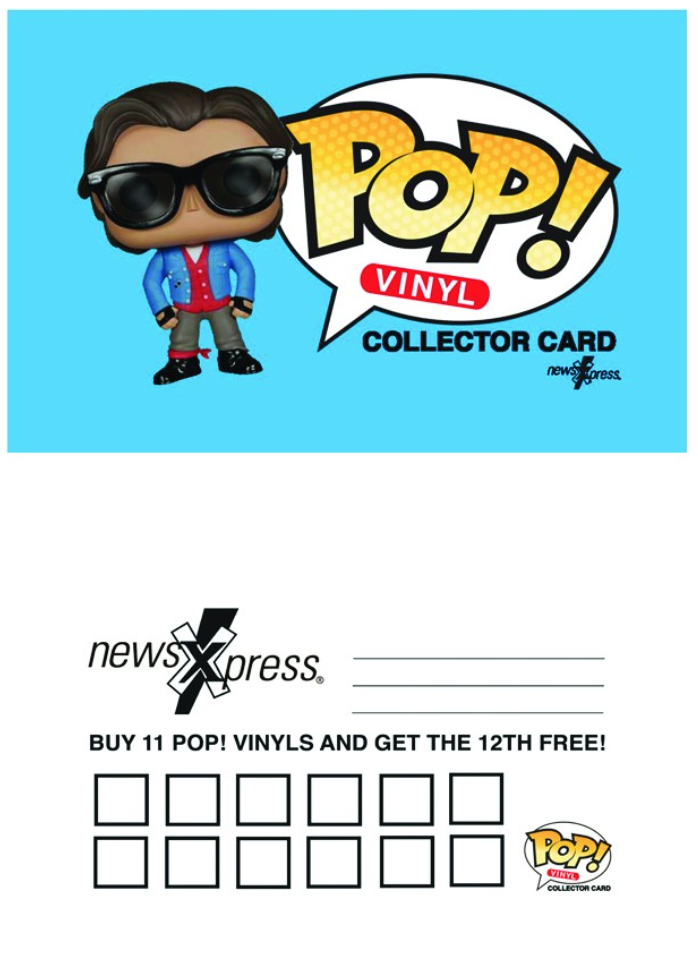 Track shopper loyalty cards with ease using the Tower Systems POS software. Even something simple like th coffee card approach where each purchase receives a stamp or clip and at a certain milestone a free item, coffee or similar.
The retail loyalty software in the Tower Systems software handles this basic type of loyalty offer easily. You can eliminate the cards and each purchase is tracked, helping shoppers maximise rewards and thereby driving loyalty.
Better still, shoppers can have multiple loyalty cards in the one business – without the need to ever have the physical card. This works a treat for families where they collect multiple specialist items from a business. They can work and shop together for their benefit and for the benefit of the business.
Yes and even better still, the small business retailer can track and manage they, they can adjust settings, watch shopper engagement and leverage the loyalty opportunities of the benefit of the business.
Shoppers who like the idea of carrying their own card can continue to do this. The retailer has their records and the shopper has peace of mind of a care with a stamp or clip. Both parties have their needs and desires satisfied.
This is a good whole of business loyalty solution. It is ideal for small business retailers. Perfect for driving shopper engagement. Working in with suppliers too who offer retailers rebates for levels of shopper engagement. In the Tower Systems software retailers have access to a level of reporting necessary to serve the needs of these engaged suppliers.
This ability to run a coffee card type of loyalty is one of a broad range of loyalty solutions in the Tower Systems software. The facilities are strong, comprehensive and integrated – meaning small business retailers can use one, another or a mix of several to create the type of loyalty offer that will work best in their local situation.
Shopper loyalty programs are loved by shoppers and vital to small business retailers. They are a perfect way to different a business from a big business competitor. Tower Systems s offers the software. Better still, we offer business advice and guidance to lev rage the tools for maximum benefit.
Yes, a dentist. We love this marketing that we saw in Sydney recently.

Connecting your high street retail business POS software to a website is straightforward if you are connected with software businesses that understand the importance and value of such a connection.
Tower Systems offers POS software to webstore direct connections for Magento, Shopify and WooCommerce – directly between its software and each of these e-commerce platforms. We have used the development APIs for each of the platforms to create three separate links.
For retailers using a lesser known webstore platform, we have a generic link that also works well to sync transaction and inventory data across two technology platforms.
The best link is tight, accurate and driving online and in-store business. We can demonstrate the value of this through many store connected websites we have crated for single businesses as well as for group businesses. We can shop the value of implementing online LayBy, click and collect, carious payment options, handling freight, handling customer special orders and handling preorders for highly sought after lines.
All of these things and plenty more have been addressed in the POS software webstore integrations that we have delivered to our small business friends.
As a POS software developer with a terrific team of web developers we are well positioned to provide a complete one-stop solution for in-store and online. This ensures small businesses are not lost in a battle between two software companies that point at each other as the cause of any issue. Providing both the website and the POS software there is one go-to place, one way to make the relationship work, one business responsible.
The Tower web team is also skilled at SEO and SEM services that help raise the website rankings in key search engines, ensuring the site is found ahead of others.
But best of all, Tower Systems provides professional advice and guidance to small business retailers keen to build their online presence. Our commitment is honest transparent advice on which any small business retailer can rely.
The Tower Systems web development team is Australian based, working out of the company’s head office in Hawthorn. This is important as many web development businesses are overseas. While you might have a locally based contact person development too often is done overseas, leading to challenges with delivery and usefulness.
Go to our website to find out more about our POS software webs store integrations.
Wow! What a build up it has been form small business retailers using our software. They are ready for the end of the financial year thanks to an extraordinary roster of free live group training, free one on one training and easy access to videos and online training documents.
No matter how, when and where our customers wanted to access EOFY training they have been able to.
Many years ago we committed to running weekly live online accessible training, using a the world-class WebEx platform. We continue to run these weekly training sessions, years later. But this year the weekly sessions were not enough. Some weeks we did five sessions, as so many of our customers wanted to learn more about the amazing new and easy stock take tools in our software.
We love providing training and we love that our customers engage with it. Indeed, we are grateful to our customers for their engagement.
This financial year, many more small business retailers thanks to the free training we have provided access to.
And the training continues. next week we have a terrific interactive and live session on reordering. We can help retailers cut mistakes through a faster and more accurate reordering process that can significantly improve the bottom-line performance of the business. Like all our training workshops, access is free.
Training opportunities cities never stop at Tower Systems.
Our approach to training is actions speak louder than words. While it is easy for any POS software company to announce they will offer training, it is another thing entirely to deliver.
Brick-and-mortar stores are gradually becoming outdated means of product retailing.
Can you recall the last time you got in your car and physically drove to a store instead of easily clicking the checkout button online?
Making online sales has become a customer’s number one source of shopping these days. Stores are turning to the Internet to make the bulk of their sales, too.
The digital age is crushing retail giants across the country. Something needs to change so they can prosper like they once before.
The importance of web based POS (point of sale) software is on the rise in 2017. Retailers are at risk, and now more than ever you need to know the benefits of web based POS software.
Luckily we will go into detail about it in this post. Need help understanding the software? Our e-commerce workshop offers online workshops that can help you take your business to the next level.
First, let’s make sure you understand what exactly a POS system is. POS stands for “Point Of Sale”. It refers to the act of completing a transaction between a customer and a retailer. Whenever you make a sale in a store, there is a point of sale that is conducted.
Instead of going up to a cash register to make a physical payment, a web based POS eliminates that step. Or, as is the case with Tower, it integrated online and offline- in a physical store as well as online.
Large businesses and small businesses alike are investing in software which allows them to give their customers easy online power.
So, does your independent small business need to invest in POS software? Let us explain the top 6 benefits to web based POS:
A sales employee will know what types of products a specific customer wants to buy from the business via web based POS.
The sales associate can find what items the customer has liked before, and he or she can use this information to its full advantage. Understanding a customer’s unique preferences will drive more sales to the business. Our video on how to grow your sales includes information from some of our POS software experts at Tower Systems.
For example, say you own a few beauty stores. By simply using the right web based POS software you are able to look up a customer’s sales at any location in no time at all. A comprehensive customer list is created through the POS software.
Knowing this information speeds up the selling process so an employee can talk to a customer. By understanding what brands the customer already buys, the associate can help them find more products from the same brand that they are looking for.
Using point of sale software can virtually cut the need for any paperwork. Having access to your online business has never been simpler than with the integration of powerful this type of software. This software can keep track of all of your small business needs, from daily invoices to customer purchases.
Calculating sales from your independent small business can become a hard task for everyday business. Save both time and energy by investing in special POS software that can analyze your inventory and sales faster than you could on your own.
Digital copies of your accounting information will also help you keep track of your finances. Instead of logging daily totals on paper, you can store all of your data on your web based system.
You can also track information from different store locations by adding invoices from each place into one central location.
This process that online software has will reduce stress and encourage you to focus on other areas of your business, such as marketing.
POS software can know more about your business than you do in a matter of seconds. Gathering daily totals and figuring out what specific items sold on a particular day can be a task that the software is capable of completing.
You will also know when stock is running low, as this is another great function of having web based POS software installed.
This information is valuable to your small business so you know what to repurchase. Managing your sales trends can be beneficial so your loyal customers return again and again.
The POS software will also direct you on the right path to send in reorders for the highest selling products. Focusing your attention on the items that sell the most will boost sales and let you better understand how your company operates on a daily basis.
Who doesn’t want to sell what products sell versus which ones aren’t? You, the business owner, are now able to watch the process that it takes to track your account information.
What does having more real-time information mean for YOUR business?
A standard POS system will run you anywhere from $3,000 to $50,000 annually. Yes, this number appears large because you factor in licensing fees and updates that stores face on a regular basis.
I will detail how the benefits of using a web based POS outweigh the costs of a non web connected POS system:
Instead of making your employees track your daily sales totals, customers, and invoices by hand, you can put each of these tasks in your software.
Your data is backed up on a server that is secure and will not crash like regular computers can. Security is a top priority for all businesses alike, and we take that into consideration when thinking about the pros to a web based POS system.
Theft prevention is important to consider when you own a business. Thieves are unable to take your money if you store your information on the POS system because everything is secured online.
Having your information online is better than storing cash in a cash drawer.
With more customers comes more information that needs to be properly stored. Archive this information using the web based system that can hold a large capacity.
80% of small business owners use their mobile devices to update and manage their businesses on a daily basis. Phones are a business owner’s best means of communication, and 55% of SBOs use their phones to schedule appointments or talk to customers.
Owning a business is a 24/7 matter, and not utilizing your cell phone means shutting off your prime connection to your business. Having a web based POS system in place will connect you to your employees and customers.
You can even check in on your business from your home.
An on-the-go lifestyle is how most people live in 2017, and you can’t stay behind the fast moving times. You can also easily log into your account because it relies on an Internet connection to work.
As technology continues to expand, we at Tower Systems want to share our knowledge of web connected POS systems with you so you can grow your business the right way.
Running a successful business is now a daily task, so finding tools to improve your day to day life will ease your mind when it comes to making quick sales.
We offer you the best retail solutions for your independently owned and operated small business. Even though there are more to cover, these are the 6 best benefits to using an online POS system.
It’s important to know that understanding who your customer is can be simple with our web based technology.
Tower Systems has training programs that are built for even the most technology inept business owners.
You can easily learn how to run the POS software by participating in online group sessions that will train you to understand how the web based POS works.
Our specialty POS software will be the best addition to your business that you can buy to improve your small business sales. To learn more about our services, you can Contact Us for customer support.
If you need any help, we also have after hours support. Our e-mail is: support@towersystems.com.au if you also need immediate action.
Let us help you become one of our 3,500+ independent business owners who run stores across Australia today.
We published to our small business POS software customers today reminder advice on the best steps to follow to protect the business against impact from malware. This is especially relevant today because of the overnight Petya attack in the UK and elsewhere, including in Australia.
Being early with consistent professional advice helps our small business customers protect their businesses.
Here is best practice advice on which any computer user can rely:
MALWARE WARNING.
A new malware attack on computers is sweeping the world. It has hit the UK government, big businesses (shutting down the Cadbury factory in Tasmania) and small businesses. Please protect your business. Here is our advice.
The easiest way to recover is if you use a professional cloud backup.
Shopper loyalty software needs to drive sales. If it does not do this then it fails the business and is of questionable value.
The only stat that matters in any assessment of loyalty facilities in any POS software is the incremental business delivered by using the loyalty facilities.
This is where the loyalty software facilities from Tower Systems come into their own. Offering a broad range of loyalty solutions, small business retailers can choose the approach that works best for them, included a blend of multiple approaches.
Most retail businesses using our specialist retail software love its points-based loyalty program that looks and feels as professional as the supermarkets’ programs. However, our software’s Discount Voucher facilities deliver even better results.
Discount vouchers are a very different approach to loyalty. They offer immediate rewards. They help shoppers spend more this visit. This is vital in businesses that see shoppers once, in tourist and similar locations. They genuinely change shopper behaviour in that visit to the business.
One of our own retail businesses reported growth of 10% in the three months. Much of the success comes down to smart use of Discount Vouchers.
Discount Vouchers don’t need a card – they print on sales receipts and offer an amount customers can spend right away. Our experience and the experience of hundreds of our customers is that Discount Vouchers drive faster and deeper engagement with the business – making a shopping visit more valuable right away.
Male shoppers are more likely to spend the voucher immediately and many customers use the voucher to purchase items more expensive than the items in the initial purchase made. Customers see the voucher as cash, often commenting that they like the direct approach better than a points-based system. They like the transparency and simplicity.
In our own retail experience, which sees us competing against major retailers in a Westfield shopping centre, several shoppers have stated they prefer Discount Vouchers over the rewards programs of our competitors.
We are confident that Tower Systems’ Discount Voucher facilities can help you:
Here is a video from us about Discount Vouchers:
Recent Comments